

What’s in this article
- What Claude Cowork is — A persistent AI assistant that runs tasks remotely.
- The Overnight Build Template — A copy-pasteable brief for unattended AI jobs.
- How I set up an overnight build — A 4-step process from brief to delivery.
- What this changes for agencies — How remote AI sessions change project flow.
- FAQ — Common questions about Cowork on web and mobile.
🚀 Plug this into Claude Code or Claude Desktop
This post explains the strategy. The downloadable spec file gives you the complete, copy-pasteable project brief template to run your own unattended ‘overnight builds’ with Claude Cowork.
Want hands-on help wiring this into your agency’s workflow? That’s what a 1-on-1 working session is for.
You can now kick off a 20-page website audit from your phone on the way home, and find a structured, prioritized deliverable waiting on your laptop the next morning. No babysitting, no session timeouts. This isn’t a future state; it’s what you can do today.
Anthropic just rolled out Claude Cowork on web and mobile. Sessions now run on their servers, not your local machine, and they stay active even after you close your laptop. This post is the playbook for how I use this feature to run ‘overnight builds’ — with the exact project template I use to make sure Claude delivers.
What is Claude Cowork?
Claude Cowork is an AI assistant feature from Anthropic that runs complex, long-running tasks in persistent, remote sessions. Unlike standard chat sessions that time out, Cowork jobs continue to run on Anthropic’s servers after a user closes their browser or device. With its expansion to web and mobile, users can start a task on one device and monitor or retrieve the results from another.
The Overnight Build Template I Use — Copy It Right Now
This template is how I give Claude a task that can run for hours without my supervision. It works by defining every variable upfront, from the core objective to the exact output structure, which minimizes ambiguity and prevents the AI from getting stuck. I use this for everything from generating code to drafting long-form content.
# Claude Cowork Overnight Build Brief

## [Project Context]
- **Client:** [Client Name]
- **Background:** [1-2 sentences on the client and their business.]
- **Source Files Attached:** [List all files provided, e.g., 'brand_guide.pdf', 'wireframe.png', 'copy_doc.docx']

## [Core Objective]
- **Goal:** [State the primary goal in one clear sentence. E.g., "Generate the complete HTML and CSS for a 5-section landing page based on the attached wireframe and copy document."]
- **Success Metric:** [How will we know this is done correctly? E.g., "The final output is a single .html file with inline CSS that renders identically to 'wireframe.png'."]

## [Deliverables Requested]
1.  **Primary Deliverable:** [e.g., A single HTML file named `index.html`.]
2.  **Secondary Deliverable:** [e.g., A plain text file named `summary.txt` explaining the code structure.]

## [Formatting & Style Instructions]
- **Tone of Voice (for copy):** [e.g., Professional, witty, straightforward]
- **Code Style (for code):** [e.g., Use inline CSS, add comments to each major section, ensure mobile responsiveness using media queries.]
- **Constraints:** [Things to avoid. E.g., "Do not use any external JavaScript libraries. Do not use any colors not found in 'brand_guide.pdf'."]

## [Output Structure]
- Please provide the final output as a zipped folder containing the deliverables listed above. Name the zip file `[ProjectName]_Deliverables.zip`.
I fill this out, attach the files, and launch the Cowork session. This level of detail is what allows me to disconnect and trust the job will get done correctly.
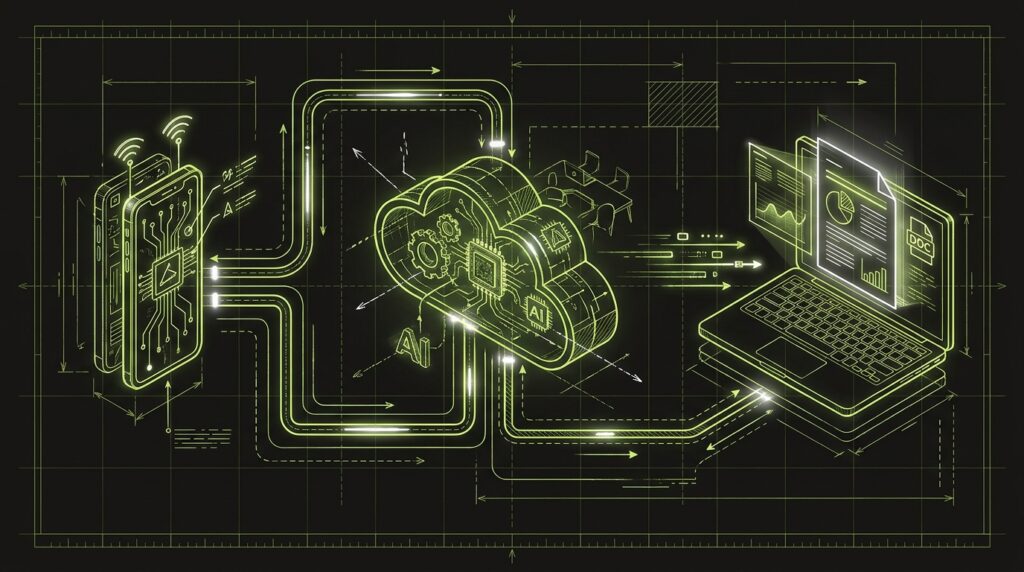
+----------------+      +-------------------+      +----------------+
|   PHONE        |      |   ANTHROPIC CLOUD |      |   LAPTOP       |
| [Start Task]   +----> | [Cowork Runs...]  +----> | [Review Output]|
+----------------+      +-------------------+      +----------------+
Here’s Exactly How I Set Up an Overnight Build
My process for launching an unattended Cowork task involves four steps, focused on providing maximum clarity upfront to ensure a high-quality result. This front-loading of context is what makes the ‘fire-and-forget’ workflow possible. I spend about 20 minutes on setup to save hours of active management.
- Define a Crystal-Clear Goal. I start with the end state. Not just “build a landing page,” but “write the complete, single-file HTML and CSS for a 5-section landing page that matches the attached Figma screenshot, using the copy from the provided Google Doc.” Specificity is everything.
- Write the Brief Using the Template. I fill out every section of the template above. I over-communicate, explaining the *why* behind the project, who the audience is, and what a successful outcome looks like. This context helps Claude make better decisions when it encounters ambiguity.
- Upload All Source Materials. Before starting, I make sure the Cowork session has every file it needs: the brand guide PDF, the wireframe PNG, the copy document, any relevant images. Centralizing all assets prevents the AI from having to ask for them later or make assumptions.
- Launch the Session and Walk Away. I give Claude the prompt, confirm it understands the task, and then I close my laptop. The session is now running remotely. I might check in on my phone an hour later, but I’m not actively supervising it.
What This Changes for Agency Project Flow
The introduction of persistent, remote AI sessions fundamentally changes agency work from active, real-time management to asynchronous delegation. This shift impacts how we scope projects, bill for our time, and structure our workday. It’s less about the craft of prompting and more about the discipline of creating a perfect creative brief.
| Dimension | Old Way (Session-Based AI) | New Way (Persistent Cowork) |
|---|---|---|
| Workday Structure | Tied to a laptop, managing sessions that can time out. | Start tasks on phone, work runs in the cloud, review on desktop later. |
| Task Scope | Limited to tasks that can be completed in a single sitting (e.g., writing an email). | Multi-hour, complex tasks (e.g., full site audits, coding a component library). |
| Billing Model | Billable hours for active ‘prompt engineering’ and supervision. | Value-based pricing for finished assets; ‘AI supervision’ retainers. |
| Client Deliverable | Manually package and email the final files. | Cowork drafts the delivery email via the Microsoft 365 integration. |
The new model treats the AI less like a tool and more like a remote junior team member. My job is to provide the best possible brief and then get out of the way. This is a core part of the Claude Toolkit I’m building for my own agency.
My $0.02 — How I’d Roll This Out in an Agency
I would integrate this into an agency’s workflow over three days, starting with a safe internal project to build trust in the process before ever using it on paid client work. The goal is to prove the reliability of unattended AI tasks and establish a best practice for writing briefs.
Day 1 — Run an Internal Test Project. I’d pick a low-risk, internal task. For example: “Analyze the top 10 blog posts on our site and generate a summary of common themes, then draft 5 new outlines based on that analysis.” I’d use my Overnight Build Template, launch it, and see what Cowork delivers in the morning. This is about learning the tool’s quirks.
Day 2 — Pilot on a Low-Stakes Client Task. I’d find a small, billable task for an existing client. A great candidate is transcribing and summarizing a recorded discovery call. The time savings are immediate and measurable, and if the output is flawed, it’s easy to correct manually. The goal is to get a real-world win.
Day 3 — Productize the ‘Overnight Build’. Once I trust the process, I’d start offering it for larger tasks. I’d frame it to clients as a new, faster way to get to a first draft for things like website copy, SEO audits, or presentation decks. It becomes a clear value proposition: “You give us the brief by 5 PM, you have a draft to review by 9 AM.”
FAQ
Do I need to keep my computer on for Claude Cowork to run?
No. Once a Cowork session is started, it runs remotely on Anthropic’s servers. You can close your laptop or turn off your phone, and the task will continue to process. You can check its status from any device logged into your account.
Is Claude Cowork available on all plans?
Initially, Cowork on web and mobile is rolling out to Claude Max plan subscribers. Anthropic has stated it will become available to other plans over the following weeks. The core desktop feature has been available since early 2026.
How does the Microsoft 365 integration work?
It allows Claude Cowork to perform write actions within your Microsoft 365 account. This includes drafting and sending emails in Outlook, managing calendar events, and creating or updating files in OneDrive and SharePoint, all within the same Cowork session.
Can Cowork access my files on mobile?
Yes. Files are synced to your Claude account and are accessible across all devices. You can upload a file from your laptop and reference it in a Cowork task you start from your phone, and vice-versa.
What is the difference between Cowork and a regular Claude chat?
A regular chat is a conversational interface for immediate tasks and is session-based, meaning it can time out. Cowork is designed for long-running, project-based work, with persistent sessions that run remotely and a file system for managing project assets.
Are there usage limits for Claude Cowork?
Yes, Cowork usage is metered as part of your plan’s limits. However, to mark the web and mobile launch, Anthropic has doubled the usage limits for all Max plan subscribers through August 5, 2026, to encourage testing of larger tasks.
Want help applying this?
Four ways to go deeper:
- Build with Builders. Join the Talk-to-Build community to learn to build AI-native websites, cinematic AI video, and agent-driven workflows you can sell.
- 1-on-1 working session. Book a screen-share with me — bring a real problem, leave with a working piece of it.
- Done-for-you. MK-Way builds AEO-ready websites, apps, and AI agent workflows.
- Quick question. DM me on Instagram or LinkedIn. I read every message.
Part of the AI Pulse series. If you commented “CLAUDE” on one of my videos — this is the breakdown.
Last updated: July 13, 2026.