

What’s in this article
- The full Claude product stack — Code, Desktop, Connectors, Routines, Security, Design, and Claude inside Word + Photoshop. What each one does in plain English.
- How they fit together — the simple flow I run every day: talk to Claude → it reads my apps → it builds → it ships → it watches.
- The free starter setup — what to turn on first if you’re new. Most of this works on the Pro plan.
- The Claude vs ChatGPT vs Gemini call — when I reach for which one for building, and why I default to Claude.
- Common prompt mistakes that water down your output, and the small fixes that sharpen it.
- FAQ covering pricing, security, language support, and the questions builders ask me on every video.
🚀 Plug this into Claude Code or Google Antigravity
Don’t want to read all this? Get the one-click implementation pack: download the spec, drop it into Claude Code, and let it implement on your site. Claude.ai + Desktop setup, Claude Code install steps, Figma + WordPress + Photoshop Connector configs, a nightly QA Routine, the pre-launch Security review prompt, and copy-paste designer prompts — all included.
Get stuck? Want hands-on Q&A, weekly office hours, or help applying this to your specific Shopify / WordPress / Webflow site? That’s what the Talk-to-Build community is for — a technical support community for designers and creative directors building with AI.
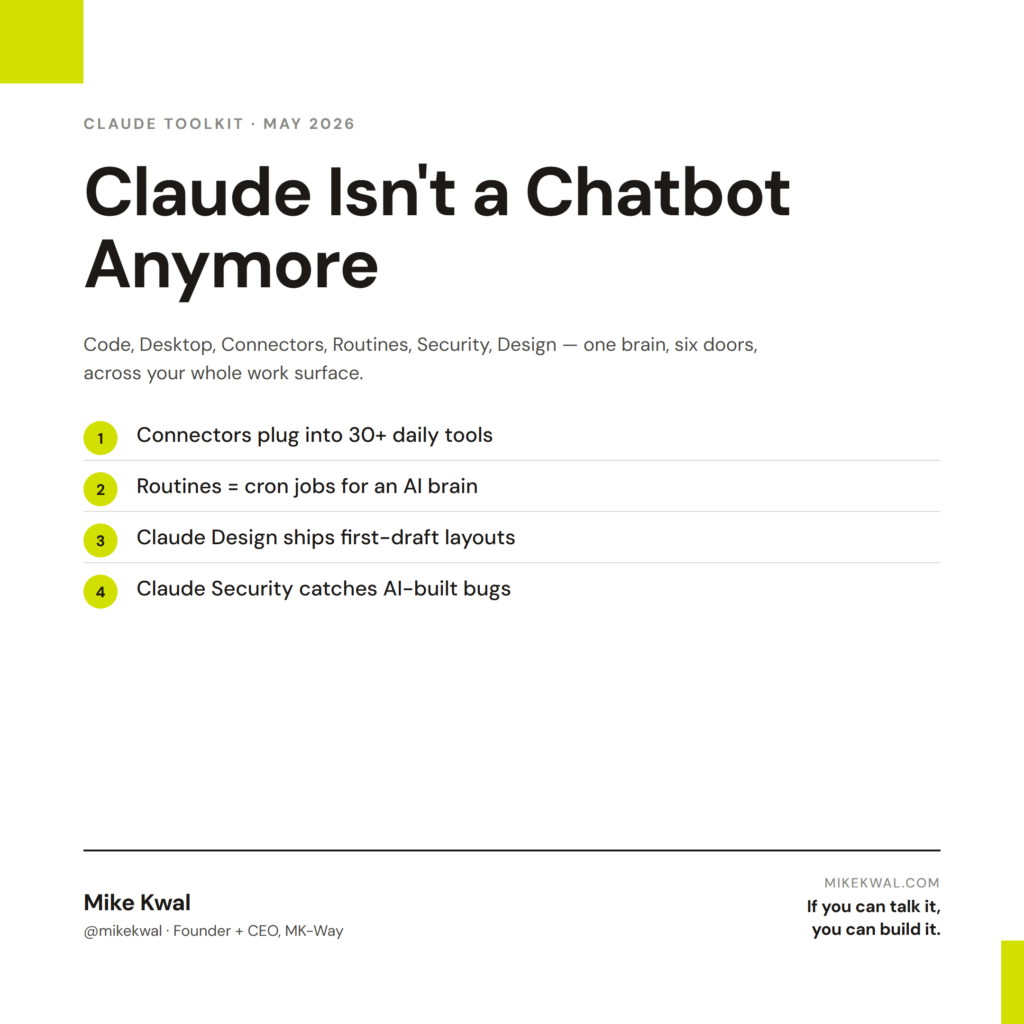
If you build websites, apps, or content with AI, Claude is no longer a chatbot you open in a browser tab. It’s a stack. A real one. Code agent, desktop orchestrator, scheduled workers, app connectors, security scanner, design generator, and now Claude living inside Word and Photoshop too.
I run this stack every day. Here’s the full tour, in plain English, with the workflow I actually use.
Why Claude is more than a chatbot now
A year ago, “using Claude” meant opening claude.ai and typing. That was it. Today it means at least seven different products, each doing a different job, all sharing the same brain (Opus 4.7 as of this writing).
Anthropic’s been shipping new Claude products almost every week through April and May 2026. The official roundup of the latest features lives on the Claude release notes — it’s worth bookmarking. But the page is dense. This post is the plain-English version: what each product does, who it’s for, and how I chain them together.
The short version of the answer: Claude reads, builds, and watches across your whole work surface now. Browser, desktop, IDE, calendar, Slack, your apps, your code, even your Word and Photoshop files. One brain, many doors.
Claude Code (the AI engineer in your terminal)
Claude Code is the agent that lives in your terminal or IDE and writes code with you. Not autocomplete. A real engineer that reads your whole project, plans, edits multiple files, runs tests, and pushes commits.
Anthropic’s Claude Code page is the canonical landing spot. Recent updates (Apr 14, 2026 release notes) added native VS Code and JetBrains plugins, plus background agents that can work on a feature while you sleep.
What I use it for, daily:
– Building landing pages (this site was built with it)
– Refactoring messy code AI tools wrote earlier
– Writing tests for code I shipped fast
– Migrating a WordPress site between hosts in one session
It’s not a toy. The same tool runs in production at companies like Cloudflare, Block, and Sourcegraph. If you can talk it, you can build it — Claude Code is the “build it” half of that line.
Claude Desktop (the orchestrator)
Claude Desktop is the macOS and Windows app. It looks like a chat window. Underneath, it’s the control room.
Why it matters: only the desktop app supports the full set of integrations. Chrome and mobile see Claude. Desktop runs Claude. From Desktop you can:
- Connect to your apps (the Connectors stack — see next section)
- Schedule Routines that run while you’re away
- Hand work to Claude Code in your terminal
- Open the Security panel for code scans
- Hop into Claude Design when you need a mockup
If you’re new to Claude as a builder, install Desktop first. Everything else plugs into it.
Claude Connectors (your apps, talking to Claude)
This is the unlock most people miss. Connectors let Claude read and write to the tools you already use — Gmail, Google Calendar, Drive, Slack, Notion, Asana, Jira, Linear, Monday.com, Figma, GitHub, HubSpot, Salesforce, Stripe, Shopify, and dozens more.
Anthropic’s Connectors directory shows the full list. New ones land every month. Around mid-April 2026 they added the Salesforce, ServiceNow, and Box connectors, which moved Claude into real enterprise workflows.
What changes with Connectors switched on:
– “Pull the last week’s meetings from Calendar and draft a status update for my team” — Claude does it.
– “Read the last 50 messages in #pm-mike on Slack and triage what needs follow-up” — Claude does it.
– “Open the brief in Drive, build a Monday.com plan from it, assign the tasks” — done.
This is what I mean by “co-pilot.” Claude isn’t a separate place you go to think — it’s a layer on top of every app you already use.
If you commented CONNECTORS on one of my videos, this section is your starter map. Turn on Calendar, Drive, Slack, and Monday/Asana/Notion (whichever PM tool you use). That’s 80% of the value.
Claude Routines (Claude that works while you sleep)
Routines are scheduled or triggered runs of Claude. Cron jobs for an AI brain.
Mine fire every morning at 9:03 AM Eastern. While I’m still on my matcha, a Routine is reading the last 24 hours of AI news, picking the four stories most relevant to builders, drafting scripts for my video team, and dropping them into Monday.com with captions ready to publish.
I shipped my version after Anthropic’s Apr 22, 2026 launch of Routines (originally rolled out as scheduled prompts in Claude.ai/Pro). Set it up once, it runs forever. The recurring pattern I use:
- Daily — AI news triage (mine), inbox cleanup, status reports
- Weekly — meeting debriefs rolled into a CEO summary, Stripe revenue review
- Triggered — when a meeting transcript lands, a Routine pulls it apart and emails me the action items
If you commented ROUTINES or ROUTINE, the question isn’t can you automate something — it’s which one repetitive task you should hand off first.
Most builders try to automate the hard stuff first. Wrong move. Automate the boring stuff first. The hard stuff teaches you what to delegate next.
Claude Security (your code review, on-demand)
I covered this one in depth in Claude Just Became Your Security Team, so I’ll keep it short here.
Claude Security launched in public beta on May 4, 2026. It reads your codebase the way a senior engineer would, finds bugs that hide between files, and writes the patch as a pull request. Integrates with Slack, Jira, CrowdStrike, and Palo Alto out of the box (DevOps.com coverage).
If you commented SECURE on a video — that prototype article is your full setup guide. If you commented AUDIT — same article. The free prompt at the top works on any Claude.ai plan today.
The one-line summary for this hub: every site you ship should pass through Claude Security before it goes live. Especially if AI helped write it.
Claude Design (talk to a designer that actually ships)
Claude Design is the newest piece of the stack. Announced late April 2026, it turns a description into a working UI — components, pages, full design systems, and the code to ship them.
What it replaces: the part of building where you stare at Figma trying to remember how to make a hero section look “premium.” You describe the vibe, point Claude Design at your brand colors, and it gives you a real, on-brand layout.
What I use it for:
– First-draft landing pages for client mockups (saves 2-3 hours per concept)
– Component libraries when I’m spinning up a new site
– Quick redesigns when a client says “make this cleaner”
If you commented CREATIVE — Claude Design is the answer. It pairs naturally with Figma if you’re already there, and it spits out clean Tailwind code that drops straight into your project.
Claude inside Word, Photoshop, and Office
This one surprised me. In late April 2026, Anthropic and Microsoft expanded the Claude in Microsoft 365 integration. Claude is now available inside Word, Excel, PowerPoint, and Outlook for enterprise users. Adobe shipped Claude inside Photoshop in the same window — generative fill, smart selections, and creative direction by chat.
What this means for builders:
– Drafting an SOW in Word? Highlight, ask Claude to tighten. Stays inside the doc.
– Building a deck for a pitch? Claude generates slides from your notes.
– Editing hero photography in Photoshop? Claude removes the background, retouches, and exports at the right size — by voice.
If you commented WORD on one of my videos — this is what was being demoed. You don’t need to copy-paste into claude.ai anymore. Claude shows up where you already work.
The “Talk to Claude” workflow I use daily
Here’s the sequence I run most days:
- Morning — Routines fired at 9 AM. AI news triage done, video scripts drafted, captions written. I open Monday.com to review.
- Mid-morning — Claude Desktop. I say what I want to build. It pulls context from Calendar, Drive, and Slack via Connectors. We agree on the plan.
- Build — Claude Code in the terminal. It reads the repo, edits across files, runs tests. I review and merge.
- Design — If a page needs a fresh look, Claude Design. Five minutes for a first draft.
- Ship — Claude Security on the new code. Fix anything critical. Deploy.
- Document — Back in Desktop. It drafts the changelog, the client update, the LinkedIn post. I edit and send.
Six steps. Three hours. A year ago, that was a week of work for a small team.
If you commented CLAUDE on a video, this workflow is what you were asking about.
Common prompt-engineering mistakes (and the fix)
Most people get bad outputs from Claude for one of five reasons. Each has a quick fix.
Mistake 1 — One-shot prompts with no context.
You ask “write me a landing page.” Claude has no idea what you sell, who buys it, or what good looks like to you. Fix: paste your brand voice doc, two competitor pages you like, and your offer. Then ask.
Mistake 2 — Burying the goal.
You write 400 words of background and the actual ask is in the last sentence. Claude reads top-down, like everyone else. Fix: lead with the goal in one sentence. Background after.
Mistake 3 — Asking for opinions instead of decisions.
“What do you think of this copy?” gets you mush. “Pick the strongest of these three headlines, explain why, and rewrite the loser to match” gets you a decision. Always ask for the decision.
Mistake 4 — No examples.
“Write in my voice” without showing your voice. Claude guesses. Fix: paste two samples of your real writing. Tell Claude to mirror cadence, not vocabulary.
Mistake 5 — Treating it like Google.
You ask one question, get one answer, walk away. Claude is a thinking partner. Push back on its first draft. Ask “what would a stricter editor cut?” Iterate three times. The third draft is usually the one worth shipping.
If you commented PROMPT on a video — these five fixes will move 80% of your prompt quality. Practice them.
Claude vs ChatGPT vs Gemini for building
Quick honest take. I use all three. Here’s when I reach for which one.
| Job | My pick | Why |
|---|---|---|
| Writing production code | Claude | Best at long-context multi-file edits. Claude Code is the most mature agent. |
| Brainstorming + ideation | ChatGPT | Slightly looser, more creative riffs. Good for the messy first hour. |
| Research + citations | Gemini or Perplexity | Direct Google search integration; cites sources cleanly. |
| Reading a 200-page PDF | Claude | Largest context window in practice. Doesn’t lose the thread. |
| Image generation | ChatGPT (DALL·E) or Gemini | Claude doesn’t generate images directly yet. |
| Voice + multimodal | Gemini Live or ChatGPT Advanced Voice | Both better than Claude at voice today. |
| Connecting to my apps | Claude | Connectors are deeper than the competition. |
| Code security review | Claude | Claude Security is the only tool of its kind. |
I default to Claude for building. I keep ChatGPT and Gemini open for the edges where they’re stronger. None of them are “best at everything.” If anyone tells you that, they’re selling something.
My $0.02 — How I actually use the Claude toolkit
Most posts about Claude read like a product catalog. Here’s how I actually wire it into a real design project — the kind where a client hands me a Figma file on Monday and expects a live site by Friday.
Daily research and strategy → Claude Desktop. Before I open Figma, I’m already in Desktop. I paste the client’s brand brief, their three favourite competitor sites, and ask Claude to pull out positioning gaps. While that’s running I’ll have Connectors open Drive, Calendar, and Slack so I’m not bouncing between tabs to grab the kickoff notes. This is the “thinking before designing” hour I used to skip when I was younger and dumber.
Opening Figma + WordPress + Photoshop in one chat → Connectors. This is the unlock for designers. I switch on the Figma connector, the WordPress connector (yes, WP has one now via the MCP Adapter), and Adobe’s Photoshop hook. From a single Desktop chat I can ask “pull the hero frame from the Figma file, swap the headline to match this new positioning, then resize the photography in Photoshop for a 1600×900 hero, and stage it on the WordPress dev site.” A year ago that was four apps and three context switches. Now it’s one prompt.
Actual building → Claude Code. When I’m taking a Figma design to a live custom WordPress theme, Webflow custom code embed, or a Shopify section, Claude Code is where the typing happens. I keep the Figma file open as reference, point Claude Code at the repo, and let it scaffold the templates. For Webflow, I lean on it for custom JS interactions Webflow’s UI can’t handle. For Shopify, it writes the Liquid sections and I drop them in.
Pitch mockups → Claude Design. When a prospect asks for a “directional concept” before signing, Claude Design gives me three first-draft layouts in twenty minutes. I take the strongest one into Figma to refine. It saves me from charging discovery rates for what is really just a vibe check.
Pre-launch → Claude Security. Every site I ship — even the ones I built fastest — passes through Claude Security before I hand over the login. Designers ship a lot of AI-generated PHP and JS now. We need a sober second look.
Overnight → Routines. A Routine fires every night at 11 PM checking my live client sites for uptime, broken links, and Lighthouse score drops. I wake up to a Slack message either saying “all clean” or “humberbaywest.com hero image broke at 2 AM.” That’s the kind of watching I used to pay a junior to do.
That’s the stack. One brain, six doors, design work that ships.
FAQ
Do I need the Pro plan to use most of this?
For solo builders, yes. Claude Pro ($20/month) gets you Connectors, Routines, Claude Code, and most of the toolkit. Team and Enterprise tiers add admin, single sign-on, and Claude Security’s auto-scanning version.
Can I use Claude Code without paying for an IDE plugin?
Yes. Claude Code runs in any terminal. The VS Code and JetBrains plugins are nice add-ons, not requirements. The free CLI is what most builders use.
How do Routines work pricing-wise?
Routines run on your existing plan’s usage. They count against the same limits as your manual prompts. Pro is fine for most solo workflows; heavy users move to Team or API.
Is my data safe with Connectors?
Anthropic doesn’t train on Connectors data. Each connector is OAuth-scoped, so you control read/write access. You can revoke any connector at any time from claude.ai settings.
Will Claude Security run on a Pro account?
The full auto-scanning version is Enterprise-only during the public beta. The free starter prompt in my Claude Security article gets you most of the value on any tier.
Does Claude Design replace Figma?
No. It works with Figma, not against it. Use Claude Design for first drafts and components; use Figma for fine polish and team handoff.
How is Claude in Word different from Microsoft Copilot?
Copilot is Microsoft’s AI; Claude in Word is Anthropic’s. Side by side, Claude is stronger at long-form writing and reasoning; Copilot is more tightly woven into Excel and PowerPoint commands. Most enterprises run both.
Want help applying this?
Four ways to go deeper:
- Build with Builders. Join the Talk-to-Build community to Learn how to Earn money with AI, Download our AI Skills, Advance your business, Learn to build real assets for Website Design & Shopify stores — Gen-AI images, cinematic AI videos, conversational AI office secretaries — that you can sell to SMBs that want the outcomes but don’t have time to learn the skills.
- Done-for-you. MK-Way builds AEO-ready websites and apps for design agencies and founders who want it shipped fast.
- Quick question. DM me on Instagram. I read every message.
- B2B / strategy. Connect on LinkedIn for deeper conversations about AI in design and agency work.
This post is part of the AI Pulse Asset Pack series. Every Claude product Anthropic ships gets folded into this hub as it lands. If you commented CLAUDE, CONNECTORS, CREATIVE, ROUTINES, SECURE, WORD, AUDIT, or PROMPT on one of my videos — this is the playbook. Bookmark it.
Last updated: May 7, 2026.