

What’s in this article
- What Cursor Automations are — How always-on AI agents can write code for you.
- The Bug-Fix Automation Prompt — A copy-pasteable command to set up your own agent.
- How I set this up — A 4-step guide to deploying an agent on a real project.
- What this changes for retainers — How to sell automated outcomes instead of billable hours.
- FAQ — Answers on cost, security, and what happens when the AI messes up.
🚀 Plug this into Claude Code or Claude Desktop
This post explains the strategy. The downloadable spec file gives you the full setup: the copy-pasteable `/automate` command, a checklist for configuring the GitHub trigger, and prompts for the agent to use in its pull requests.
Want hands-on help applying this to your agency’s client work? That’s what the Talk-to-Build community is for.
What if your dev setup filed bug fixes while you slept? I’m going to show you how I use a Cursor AI agent to do exactly that: it watches a GitHub repo, writes code to fix new issues, and opens a pull request automatically. You get the copy-pasteable config to set it up yourself.
This workflow went from a nice-to-have to a core part of my agency’s stack when Cursor shipped its improved Automations and the new iOS app, which lets me approve and merge the AI’s work from my phone. Here’s how I turned our agency’s maintenance retainers into a nearly-passive service.
What are Cursor Automations?
Cursor Automations are always-on AI agents that execute coding tasks based on triggers from tools like GitHub, Slack, or a schedule. They can read issues, write code, run tests, and open pull requests without manual intervention. This system allows for continuous, automated development workflows, such as fixing bugs or refactoring code automatically as soon as they are reported.
The GitHub Bug-Fix Automation I Use — Copy It
This is the exact command I use in Cursor to create an autonomous bug-fixing agent. You use the `/automate` skill inside the Cursor editor, paste this description, and it builds the entire workflow for you. It tells the agent to watch for new GitHub issues, create a fix, and open a pull request for a human to review.
/automate "When a new issue is opened in the 'your-repo-name' repository, do the following:
1. Read the full issue title and body to understand the problem.
2. Identify the most likely file or files that need to be changed.
3. Write the code to fix the issue.
4. Create a new branch named 'fix/issue-<issue_number>'.
5. Commit the changes with a message: 'fix: address issue #<issue_number>'.
6. Open a pull request back to the 'main' branch, summarizing the fix in the PR description."
After you run this, Cursor presents a UI where you connect your GitHub account and select the specific repository. From that point on, the agent is live and monitoring the repo for new issues.
BEFORE:
Client files GitHub Issue -> Manual dev assignment -> Code -> PR

AFTER:
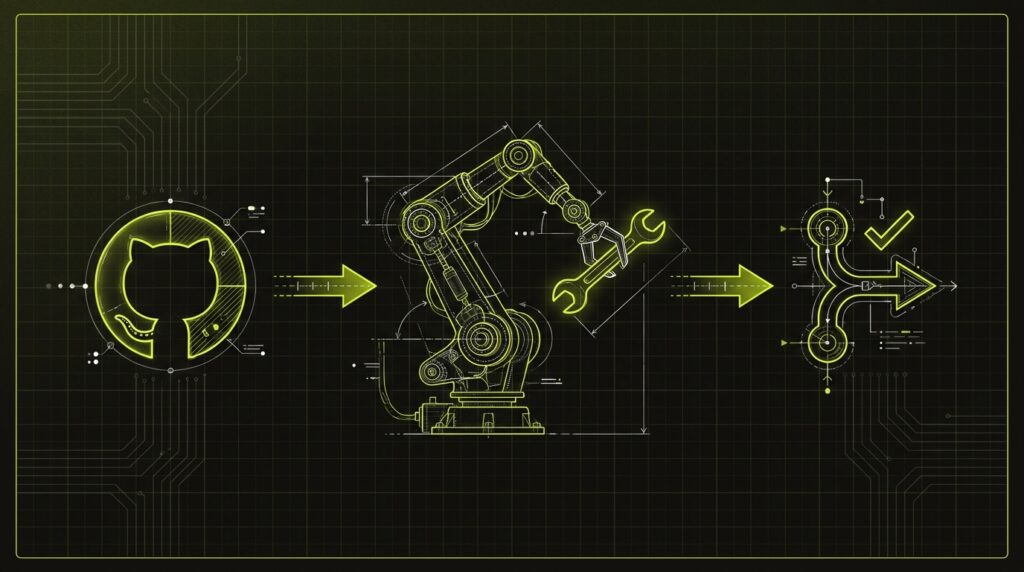
Client files GitHub Issue -> Cursor Agent runs -> Auto-PR for review
Here’s Exactly How I Set This Up
My process for deploying a new Cursor agent on a client project takes about 15 minutes. The setup is done entirely through natural language using the `/automate` skill, which builds the workflow for you. Then you just connect it to GitHub and monitor it from the new iOS app. It’s designed to be simple enough for a project manager, not just a senior developer.
- Use the `/automate` skill. In the Cursor editor, I type `/automate` and paste the plain-English prompt from the asset block above. Cursor’s AI parses this and scaffolds the trigger-and-action workflow.
- Configure the GitHub Trigger. Cursor generates the workflow UI. I click the trigger step, authenticate with GitHub, and choose the specific client repository. I then select the ‘Issues’ -> ‘Opened’ event.
- Run a Live Test. I go to the connected GitHub repo and create a simple, well-described test issue (e.g., “Fix typo on about page”). I watch the agent trigger, see the new branch appear, and get the notification for the new pull request.
- Install the iOS App. I download the Cursor app from the App Store and log in. Now, when the agent creates a PR, I get a push notification. I can review the code diffs and merge the fix directly from my phone.
What This Changes for Agency Retainers
This workflow changes the fundamental value proposition of a client retainer. Instead of selling a block of developer hours, agencies can now sell a guaranteed outcome: a self-maintaining codebase. The perceived value shifts from manual labor to automated efficiency, allowing for higher-margin, productized services that deliver constant, visible progress.
| Dimension | Old Way (Manual Retainer) | New Way (Agentic Retainer) |
|---|---|---|
| Response Time | Next business day, dev assigned. | Near-instant, agent starts on issue open. |
| Workflow | Client files ticket → PM assigns → Dev codes → PR review. | Client files issue → Agent codes → PR ready for review. |
| Billing Model | Based on developer hours spent. | Flat fee for uptime, issues resolved, and agent access. |
| Principal’s Role | Managing dev schedules and ticket queues. | Reviewing and merging agent-created PRs from a phone. |
When a client sees a bug they reported at 10 PM get a pull request by 10:05 PM, the conversation about the value of their retainer changes completely. This is a core part of the modern talk-to-build stack I run for clients. It turns a cost center (maintenance) into a demonstration of high-tech competence.
My $0.02 — How I’d Roll This Out on a Client Project
My approach for introducing this to a client is to start small and demonstrate value on a non-critical task. The goal is to build trust in the automation by proving its reliability in a low-risk environment first. I do this over a simple three-day sprint to go from concept to a live, value-delivering agent.
Day 1 — Isolate and Connect. I pick a small, non-critical client repository, like the repo for their marketing site or an internal tool. I use the `/automate` skill to set up the bug-fix workflow. To start, I configure it to only react to issues with a specific label, like `agent-safe-bug`, so it doesn’t touch anything unexpectedly.
Day 2 — Run a Live Test. I have a team member file a real, but simple, bug report with the `agent-safe-bug` label. Something like a typo fix or a CSS color change. I watch the agent pick it up, create the PR, and I review the code it wrote. The goal is to see how it performs on a real-world task, not a perfect test case.
Day 3 — Demo and Expand. I show the client the automated PR in our next check-in. I explain this is the new standard of service for their retainer. Once they see a bug they reported get fixed overnight without a single email, they get the value immediately. From there, I work with them to expand the agent’s scope, eventually removing the label requirement.
FAQ
How do Cursor Automations work?
They connect to services like GitHub or Slack. When a specified event occurs, like a new issue being created, it triggers a pre-defined AI agent. The agent then follows a set of instructions, such as reading the issue, writing code, and opening a pull request, operating autonomously in the cloud.
Do I need to be a senior developer to use this?
No. Cursor’s `/automate` skill lets you describe the workflow in plain English, and it builds the automation for you. The main skill is clearly describing the task you want the agent to perform. The iOS app also makes reviewing the AI’s work accessible to less technical project managers.
How much does Cursor cost?
Cursor has several paid plans, starting with a Pro plan around $20 per month. The Automations feature and the iOS app are available on all paid plans. You’ll want to check their site for the most current pricing, as they have tiers for individuals, teams, and enterprises.
Is it safe to give an AI agent access to private code?
Cursor connects to your GitHub account using standard OAuth permissions, which you control. The agent only has the access you grant it. For sensitive projects, I always start by giving the agent read-only access to a test repository before granting write access to a production codebase.
What happens if the agent writes bad code or a bug?
The agent doesn’t merge code directly; it opens a pull request. This is the critical human-in-the-loop step. You or your team review the AI’s proposed changes just like you would for a human developer. The iOS app makes this review process fast and easy to do from anywhere.
Does this work with GitLab or Bitbucket?
Currently, Cursor Automations have the deepest integration with GitHub for code-related triggers. While you can use webhooks to trigger automations from other services, the native, pre-built triggers for events like ‘new pull request comment’ are GitHub-specific as of mid-2026.
Want help applying this?
Four ways to go deeper:
- Build with Builders. Join the Talk-to-Build community to learn to build AI-native websites, cinematic AI video, and agent-driven workflows you can sell.
- 1-on-1 working session. Book a screen-share with me — bring a real problem, leave with a working piece of it.
- Done-for-you. MK-Way builds AEO-ready websites, apps, and AI agent workflows.
- Quick question. DM me on Instagram or LinkedIn. I read every message.
Part of the AI Pulse series. If you commented “CODE” on one of my videos — this is the breakdown.
Last updated: 2026-07-13.