

What’s in this article
- The full Talk-to-Build Stack — every tool I use to build websites, apps, and content by talking, with what each one is for.
- When to pick what — Claude Code vs. Cursor vs. Codex vs. GPT-5.5 in plain English. No marketing fluff.
- Pricing breakdown — what I pay each month, what’s free, and where the value sits.
- The build workflow — how these tools chain together on a real project, from idea to live site.
- The money-wasters to skip — paid tools you can drop without losing anything.
- A running log of stack updates as new models and features ship.
🚀 Plug this into Claude Code or Google Antigravity
Don’t want to read all this? Get the one-click implementation pack: download the spec, drop it into Claude Code, and let it implement on your site. Claude Code install + project setup, daily Claude Desktop workflow, the Webflow AI / Shopify Sidekick / WordPress AI decision tree, Netlify deploy commands, and the Claude Security pre-launch scan — all included with paste-ready prompts.
Get stuck? Want hands-on Q&A, weekly office hours, or help applying this to your specific Shopify / WordPress / Webflow site? That’s what the Talk-to-Build community is for — a technical support community for designers and creative directors building with AI.
I’m Mike Kwal. I build websites and apps every day — by talking. No keyboard heroics, no copy-pasting between five tabs. Just a clean stack of AI tools, pointed at the right problem, talking back and forth until the thing is shipped.
This is the stack I actually use. Not the stack a tool review told me to use. Not the stack on a sponsored Twitter thread. The real one — what’s on my machine right now, what’s running on my server, and what I’d hand to a builder starting today.
Bookmark this. I update it every time something material ships in the AI build space.
What “Talk-to-Build” actually means
Talk-to-Build is the idea that you describe what you want and the computer makes it. You don’t write code line by line. You don’t drag boxes around in a builder. You say “make me a contact form that emails the lead and adds them to my CRM” and a few minutes later, that’s running.
It works because the AI tools got smart enough to read whole codebases, plan multi-step changes, and ship working code. The job of a builder shifted. You’re not the typist anymore. You’re the director.
If you can talk it, you can build it. That’s the whole thesis. The stack below is what makes it possible.
The Stack at a Glance
| Tool | What it’s for | Where it runs | What I pay |
|---|---|---|---|
| Claude Code | The main builder. Reads my whole project, plans, edits, ships. | Terminal on my Mac | Bundled with Claude Pro/Max |
| Claude Desktop | Daily co-pilot. Slack, calendar, Monday.com, content. | Mac app | Bundled with Claude Pro/Max |
| Cursor | Hands-on IDE when I want to see and steer the diff line by line. | Mac app | $20/mo |
| GPT-5.5 | Second opinion. Long-context research and copy. | ChatGPT | $20/mo (I keep one Plus seat) |
| Codex | OpenAI’s coding agent. I use it for one-off scripts and OpenAI-native work. | Cloud + CLI | Included with ChatGPT Plus |
| DeepSeek V4 | Cheap heavy-lifting model. Good for big batch tasks. | API | Pay-as-you-go (cents) |
| Webflow AI | Talk-to-build for marketing sites. Schema, layout, copy. | Webflow dashboard | Bundled with Webflow plans |
| Netlify Agent Runners | Where my AI-built apps actually deploy. Agents fix builds. | Cloud | Free tier covers most builds |
The whole stack is under $50/month for a one-person builder. That’s the headline.
Claude Code — the main builder
If I had to keep one tool on this list, it’s Claude Code. It runs in the terminal. It reads my whole project — every file, every config, every README. Then it plans, edits, runs tests, and tells me what changed.
This is different from “AI autocomplete.” Autocomplete suggests the next line. Claude Code does the whole feature. I tell it “add an order form that posts to GoHighLevel.” It looks at my existing forms, follows my code style, writes the form, wires it up, and tests it. Then it asks if I want to commit.
Why I lead with it:
- It reads context like a senior engineer. Most AI coders only see the file you’re editing. Claude Code sees the whole project. That changes what kinds of bugs it can find — and avoid.
- It plans before it types. It writes a plan, you approve, then it runs. Like a contractor who shows you the blueprint before swinging a hammer.
- It runs on Opus 4.7. Anthropic’s newest model, released spring 2026. It’s the smartest one they make.
Claude Code is bundled with any paid Claude.ai plan (Anthropic’s pricing page). If you pay for Claude Pro, you already have it. Just install the CLI.
Claude Desktop — the daily co-pilot
Claude Code lives in the terminal. Claude Desktop lives on my Mac. It’s the chat window, but with one big upgrade: it talks to my other tools through native integrations.
Slack, Gmail, Google Calendar, Monday.com, Figma, Fireflies — Claude Desktop reads from and writes to all of them. So when I say “summarize today’s meeting and push the action items to Monday,” it just does it. I don’t copy-paste anything.
This is what people mean when they say “MCP” — Model Context Protocol. It’s the plumbing that lets one AI talk to all your tools. Anthropic open-sourced it in 2024 and the whole industry adopted it.
Claude Desktop is also free if you have any paid Claude plan.
Cursor — when I want my hands on the wheel
Cursor is an AI-first code editor. It looks like VS Code, because it forked from VS Code, but it has Claude and GPT built into every keystroke.
I use Cursor when:
- I want to see the diff before it happens. Like watching the carpenter cut the board.
- I’m working in a language Claude Code is slightly weaker in (rare, but it happens).
- I’m pair-building with someone who hasn’t installed Claude Code yet.
Cursor costs $20/month for Pro (cursor.com). Worth it if you spend hours in an IDE. Skip it if you’re happy in the terminal — Claude Code does most of what Cursor does, faster.
GPT-5.5 and Codex — the OpenAI half of the stack
I keep one ChatGPT Plus seat. Two reasons.
GPT-5.5 is OpenAI’s flagship model. It’s good at long-context research and at writing in styles Claude doesn’t quite get right. When I’m drafting copy, I’ll often run a passage through both Claude and GPT and pick the better one. Two senior writers, one project — costs me $20/month.
Codex is OpenAI’s coding agent (openai.com/codex). It runs in the cloud or as a CLI. It’s strong at one-off scripts and at anything that touches OpenAI’s own APIs. For a project deeply tied to OpenAI tooling, Codex is the native pick. For everything else, Claude Code wins.
Two senior engineers on one project will always catch things one engineer misses. Running Claude and GPT side by side is the cheapest second opinion you’ll ever get.
You don’t need both Claude and GPT. But for $40/month total, having both is the difference between a good build and a great one.
DeepSeek V4 — the cheap heavy lifter
DeepSeek V4 is the open-source model out of China that keeps shocking the industry on price. It’s not the smartest model — Claude and GPT still win on the hard stuff — but it’s fast and cheap.
I use DeepSeek for:
- Bulk content rewrites (rewriting 50 product descriptions in one shot).
- Translation passes.
- Big batch summarization (parsing 100 meeting transcripts).
- Anything where “good enough” beats “perfect” because volume matters.
You access it through the API. Cost is fractions of a cent per task. For a one-person builder, you’re looking at single dollars per month — sometimes pennies. The pricing is published on deepseek.com/api-pricing.
This is the “use the right horse for the right job” tip. Don’t pay Claude Opus prices to rewrite 50 product descriptions. Use DeepSeek and save the smart model for the hard stuff.
Webflow AI — the marketing site builder
Webflow AI Site Builder went generally available in late April 2026. One prompt, five-page site, schema baked in. For marketing sites — the kind you ship for clients with a hero, services, about, contact, and a blog — Webflow AI is now the fastest path from zero to live.
It pairs with Webflow’s existing AEO features. Your generated site comes with structured data, meta tags, and clean HTML out of the box. Which means it’s already friendly to ChatGPT, Claude, Gemini, and Perplexity for citations.
I use Webflow AI for:
- Client marketing sites (5–15 pages, content-heavy).
- Quick one-off landing pages I need live in a day.
- Anything where the design system matters more than the logic.
I do not use Webflow AI for:
- Web apps (use Claude Code + Netlify instead).
- Anything with custom backend logic.
- Sites where the client needs to log in and update content via natural language — that’s a WordPress + plugin problem.
Webflow AI is bundled into Webflow’s paid plans. Starts at $14/month for the basic tier.
Netlify Agent Runners — where the apps live
Building it is half the job. The other half is hosting it, and watching it stay up.
Netlify shipped Agent Runners in spring 2026. The short version: when your build fails, an AI agent reads the error, fixes it, and re-deploys. You don’t open a console, you don’t read a log, you just get a Slack message saying “build was failing because of a missing env var, I added it, site is back up.”
Netlify also shipped a Frontend-Design Skill that auto-generates production-grade UI from a brief. Pair it with Claude Code on the backend and you have a one-person product team.
I use Netlify for:
- Every Talk-to-Build app I ship (Brand Codex, the Mike Kwal site, internal tools).
- Client sites that don’t sit in Webflow or WordPress.
- Anything where I want push-to-deploy + automatic preview URLs.
Netlify’s free tier covers more than most builders need. You only start paying when you have real traffic.
The build workflow — how these chain together
Here’s a real day. Project: a new landing page for a client.
- Brief in Claude Desktop. I paste the client’s notes. Claude pulls out the offer, the audience, the structure I should use.
- Site shell in Webflow AI. One prompt, five-page site, brand colors loaded.
- Custom logic in Claude Code. The form needs to email the lead, add them to GoHighLevel, and send them a Loom welcome video. Claude Code writes the integration in 20 minutes.
- Deploy on Netlify. Push to git, Netlify builds, the preview URL is in Slack before I switch tabs.
- Copy review with GPT-5.5. I run the hero and CTA through GPT for a second pass on tone.
- Bulk content with DeepSeek. Twelve service pages, rewritten for AEO, costs me $0.40.
- Security pass with Claude. A free Claude prompt scans the new code for bugs. Nothing major. I ship.
Total time: a working day. Total cost: under $50/month all-in.
That’s the workflow. None of it is theoretical — it’s how I built the page you’re reading this on.
Pricing breakdown — what the stack actually costs
For a one-person builder running everything I described above:
- Claude Pro — $20/month. Gets you Claude Code, Claude Desktop, the Opus model.
- ChatGPT Plus — $20/month. Gets you GPT-5.5 and Codex.
- Cursor Pro — $20/month. Optional. Skip if Claude Code is enough for you.
- DeepSeek API — $1–10/month, usage-based. Often less.
- Webflow — $14/month for the basic plan if you’re shipping marketing sites. Skip if you’re WordPress-only.
- Netlify — Free tier for most one-person builds.
Floor: $40/month. That’s Claude + ChatGPT, nothing else.
Working setup: $54/month. Add Webflow.
With Cursor: $74/month. Plus a few bucks of DeepSeek.
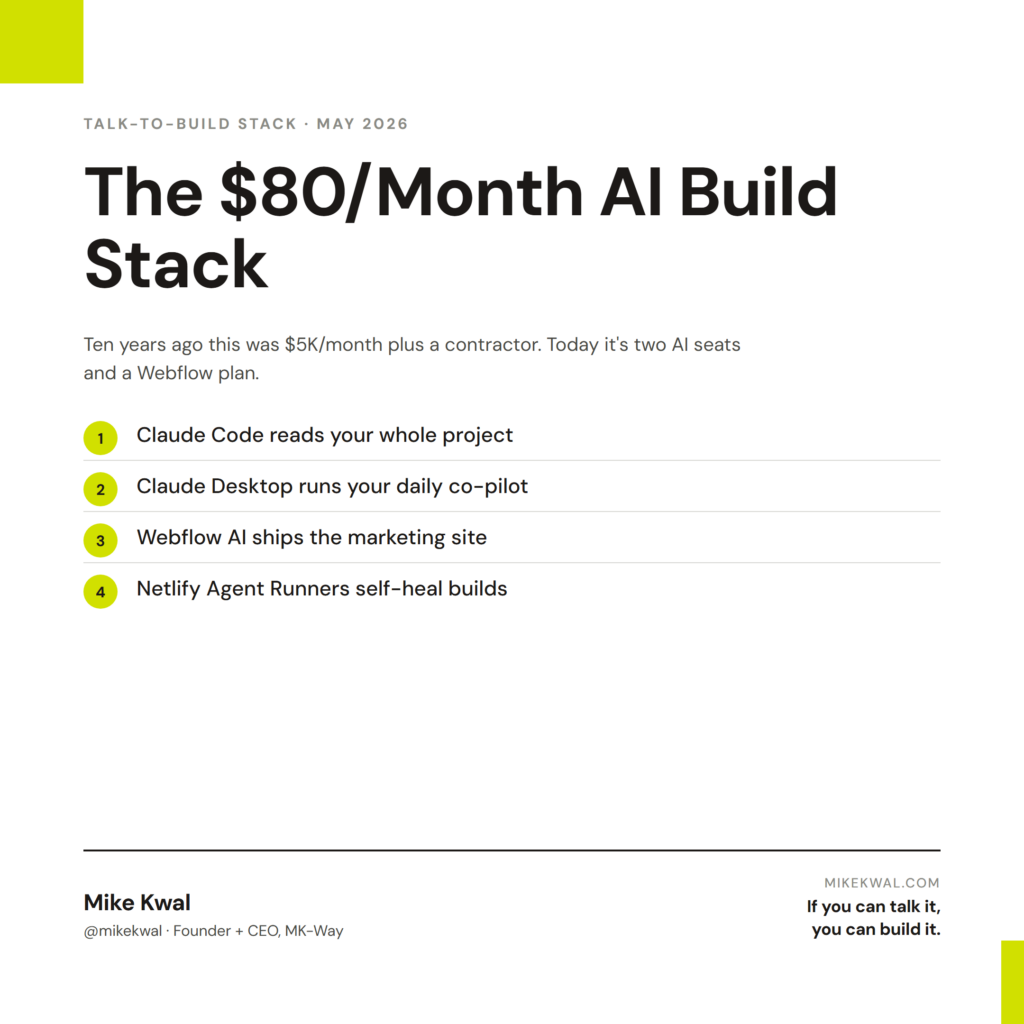
For under $80 a month, you have the same stack used by builders shipping six-figure products. Ten years ago that was a $5,000/month tool budget plus a contractor.
What to skip — the money-wasters
I get asked “should I buy X?” every day. Here’s where I save people money.
- Don’t buy a “Claude wrapper” SaaS. Companies are charging $99/month to put a chat box on top of the Claude API. Just use Claude.ai or Claude Code. Same model, less markup.
- Don’t pay for “AI website generators” you’ve never heard of. If a tool isn’t Webflow AI, WordPress’s native AI, or one of the open-source ones, it’s probably a thin wrapper. Look it up before you subscribe.
- Don’t stack three IDE assistants. Pick one — Claude Code or Cursor. Running both at the same time is just paying twice.
- Don’t pay for a code reviewer. Claude reads code for free if you have any paid plan. Use it.
- Don’t buy “no-code AI builders” with a $200/month minimum. The free tier of Claude + Webflow + Netlify covers 90% of what they offer.
The gear that costs money but earns it back: Claude Pro, ChatGPT Plus, Webflow (if you ship marketing sites), and a domain. That’s it.
Latest stack updates (running log)
I update this section every time something material ships. Bookmark this URL.
May 2026
- May 4 — Anthropic dropped Claude Security in public beta on Opus 4.7 (Anthropic blog). The whole stack just got a free senior security engineer.
- May 1 — Microsoft Agent 365 launched at $15/user/month (Microsoft blog). Enterprise builders now route work through agents across Word, Excel, Teams, Outlook.
April 2026
- Apr 30 — Netlify shipped a Frontend-Design Skill for Agent Runners. Auto-generates production-grade UI from a brief.
- Apr 28 — Webflow AI Site Builder went generally available. One prompt, five-page site, schema baked in.
- Apr 25 — DeepSeek V4 dropped with another big price cut on the API. Bulk-task economics keep getting better.
- Apr 23 — Google reported 75% of new code at Google is AI-written. The bar shifted. Builders who can direct AI now ship faster than teams of ten that can’t.
- Apr 22 — OpenAI rolled out GPT-5.5 to all ChatGPT Plus seats. Long-context window expanded. Better at copy.
- Apr 20 — Cursor 1.0 hit 1M paying users (TechCrunch). The IDE-with-AI category is now real money.
- Apr 18 — Anthropic added native Slack, Gmail, and Calendar integrations to Claude Desktop. The co-pilot got its hands on the wheel.
- Apr 16 — Webflow AEO (closed beta) launched. Tracks how often AI engines surface your content; auto-fixes gaps.
- Apr 14 — OpenAI shipped Codex CLI 2.0 with better repo-level context. Closer to Claude Code parity, still a step behind for full-project work.
- Apr 8 — Claude Code 1.0 went stable. The terminal builder I use daily came out of beta.
I add to this list every time the AI Pulse surfaces a stack-relevant update. If you want the daily version, follow my YouTube/Instagram/TikTok — handle @mikekwal — for 30-second AI Pulse drops.
My $0.02 — How I actually use this stack
When a client asks me to build a 5-page Shopify, Webflow, or WordPress site, here’s the stack I actually run — start to finish, from the brief landing in my inbox to the site going live.
Step 1 — Research in Claude Desktop. I paste the client brief into Claude Desktop and have it pull the offer apart with me. Who’s the buyer? What are the three competitors already cited by ChatGPT? What schema does this niche need? Because Claude Desktop talks to my Slack, Gmail, Google Calendar, and Monday.com natively, I don’t copy-paste anything — I just say “drop the brief into our Monday.com board and create the project doc,” and it’s done. This is the part most designers skip. I never skip it.
Step 2 — Spec in Claude Code. I open the terminal, point Claude Code at my project folder, and write the spec out loud. It reads my whole codebase — every component, every CSS variable, every existing Shopify theme tweak — and writes a build plan I can approve before a single line of code ships. That blueprint-before-hammer move is what makes the rest of the day calm.
Step 3 — Build with Webflow AI (or Shopify Sidekick / WordPress AI). For the marketing sites I ship — most of my client work — Webflow AI gets the shell up in one prompt. Brand colors loaded, schema baked in, five pages live. If the client is on Shopify, I do the same with Sidekick. WordPress, I lean on the Abilities API plugins. The point is: I don’t drag boxes around for an hour. I describe the site and adjust.
Step 4 — Custom logic in Claude Code. Forms that hit GoHighLevel, embedded Loom welcomes, AEO schema the visual builder doesn’t reach — Claude Code writes those integrations in 20 minutes flat. As a designer who used to hand this off to a developer, this is the lift. I keep the design control AND I ship the logic.
Step 5 — Deploy to Netlify. Push to git. Netlify builds. If the build fails, the Agent Runner reads the error, fixes it, and re-deploys before I can switch tabs.
Step 6 — Run Claude Security on the code. Free pass. It reads everything I just shipped and flags anything sketchy. For client work this is non-negotiable now — your design is also their business’s front door.
Time saved: a week of work compresses into a working day. Quality lift: schema, security, and AEO are baked in, not bolted on. That’s the whole pitch.
FAQs
Do I need all of these tools to start?
No. Start with Claude Pro ($20/month). That gets you Claude Code and Claude Desktop. You can ship real websites and apps with just that. Add the others as you hit a wall the current tool can’t solve.
Claude Code or Cursor — pick one?
Claude Code if you’re comfortable in a terminal. Cursor if you want a visual editor. Both run the same models under the hood. Don’t pay for both unless you’re a full-time engineer.
Is GPT-5.5 better than Claude Opus 4.7?
Different strengths. Claude Opus is stronger at code and long-context reasoning. GPT-5.5 is stronger at copy and creative writing. Run both for $40/month and use whichever wins each task.
Can I build with just free tools?
Mostly yes. Free Claude.ai gives you most of Claude. Free DeepSeek API credits cover hobby projects. Netlify’s free tier hosts your apps. Webflow has a free starter plan. The paid tiers buy you more speed and more capacity, not new abilities.
Is DeepSeek safe to use for client work?
For non-sensitive bulk tasks (rewrites, translation, summaries) — yes. For anything where the data must stay private, use Claude or GPT with their data policies. Don’t pour client secrets into any model you haven’t checked the terms on.
What about Replit, Bolt, v0, Lovable?
They’re all in the same category — fast prompt-to-app builders. They’re great for prototypes. For production work I still come back to the stack above because Claude Code + Netlify + Webflow gives me ownership of the code, the deploy, and the bill. Try them on a side project, see if they fit your workflow.
Will this stack still be valid in 6 months?
The tools will. The order will shift. New models will leapfrog old ones. The principle — read the project, plan, edit, deploy — won’t change. That’s why I update this post instead of writing a new one every quarter.
Want help applying this?
Four ways to go deeper:
- Build with Builders. Join the Talk-to-Build community to Learn how to Earn money with AI, Download our AI Skills, Advance your business, Learn to build real assets for Website Design & Shopify stores — Gen-AI images, cinematic AI videos, conversational AI office secretaries — that you can sell to SMBs that want the outcomes but don’t have time to learn the skills.
- Done-for-you. MK-Way builds AEO-ready websites and apps for design agencies and founders who want it shipped fast.
- Quick question. DM me on Instagram. I read every message.
- B2B / strategy. Connect on LinkedIn for deeper conversations about AI in design and agency work.
Last updated: May 7, 2026.