

What’s in this article
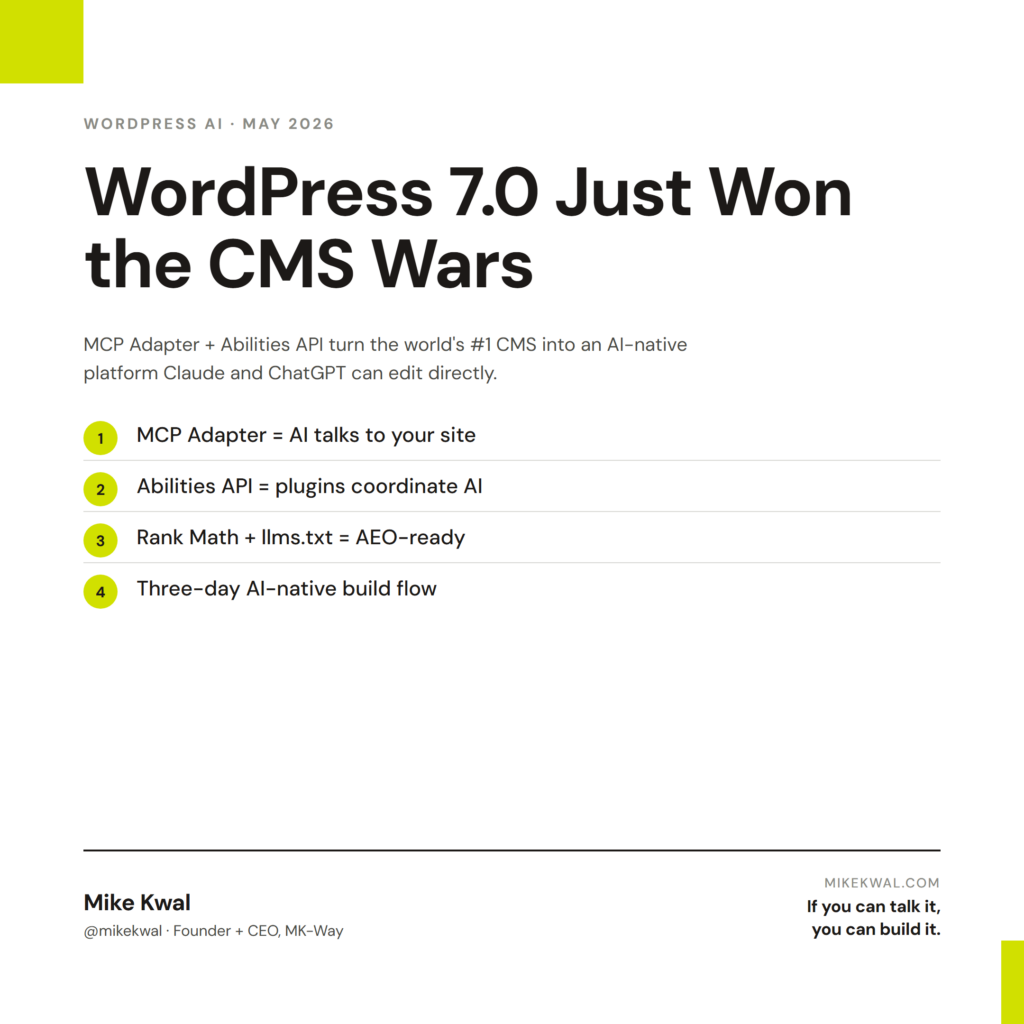
- What WordPress 7.0’s MCP Adapter unlocks — any AI assistant (Claude, ChatGPT, Gemini) can now read and edit your site directly. No plugin needed.
- The Abilities API explained in plain English — how plugins now share context with AI automatically.
- WordPress vs. Webflow / Wix / Squarespace in the AI era — when each one wins, and why WordPress still beats them for most builders.
- How to make your WordPress install AI-friendly — Rank Math, llms.txt, schema, and the three settings that matter most.
- How I build with WordPress + AI today — the exact stack running this site.
🚀 Plug this into Claude Code or Google Antigravity
Don’t want to read all this? Get the one-click implementation pack: download the spec, drop it into Claude Code, and let it implement on your site. Talk-to-Build theme install commands, WordPress MCP Adapter config, Rank Math defaults, llms.txt template, custom Gutenberg block scaffold, and the Claude Security pre-launch checklist all included.
Get stuck? Want hands-on Q&A, weekly office hours, or help applying this to your specific Shopify / WordPress / Webflow site? That’s what the Talk-to-Build community is for — a technical support community for designers and creative directors building with AI.
WordPress runs about 43% of the web. It is not going anywhere. But for the first time in years, the question of how you build with WordPress just changed.
In April, WordPress 7.0 shipped with two things buried under the headline: a built-in MCP Adapter and a new Abilities API. Together, they turn WordPress into an AI-native platform — meaning your site can talk to Claude, ChatGPT, or any AI assistant directly, the same way it has always talked to a human admin.
This post is the playbook. What changed, why it matters, and exactly how to set up your WordPress install so the AI era doesn’t leave you behind.
Why WordPress isn’t going anywhere
Every few years, someone writes the “WordPress is dead” post. Webflow was going to kill it. Then Wix. Then Squarespace. Then Framer. Then AI builders like 10Web and ZipWP.
WordPress is still 43% of the web. It still ships more new sites every day than every closed platform combined. Why?
- It’s open source. You own your site, your data, your hosting. No platform can shut you down or change the rules.
- It’s the largest plugin ecosystem on earth. 60,000+ plugins. Whatever you need to do, someone already built it.
- It’s the cheapest serious stack. A real WordPress site costs $5–$20/month to host. A Webflow site of the same size costs ten times that.
- It’s where the AI-native infrastructure is showing up first. Which is what this post is about.
If you build websites for a living, WordPress is still the safest long-term bet. The only thing that changed is how you talk to it.
What WordPress 7.0’s MCP Adapter actually unlocks
Here’s the simplest way to picture it.
Before WordPress 7.0, if you wanted an AI assistant to update your site, you had two options. Option one: copy and paste between Claude and the WordPress dashboard. Option two: install a plugin that bolts on a chat UI and hopes for the best.
After WordPress 7.0, your site speaks MCP natively. MCP is the Model Context Protocol — Anthropic’s open standard for how AI assistants talk to tools. It’s the same protocol Claude uses to read your Figma file, your Monday.com board, or your Slack channel. Now WordPress is on the list.
The official adapter lives at github.com/WordPress/mcp-adapter. With it installed (and in 7.0, the foundation is built-in), Claude or ChatGPT can:
- Read every page and post on your site
- Create new pages from a description
- Update content, swap images, fix typos
- Manage menus, categories, tags
- Upload media
- Adjust SEO meta and schema
All through plain English. No plugin chat UI in the middle. No copy-paste. The AI talks to the site the same way the site’s own admin tools do.
This is the headline. Everything else in this post is a detail.
Before 7.0, AI assistants had to describe what you should change in WordPress. After 7.0, they just do it.
The original launch was covered well by WPPoland’s WordPress 7.0 guide and announced on WordPress.org’s news blog. For the developer-facing detail, the WordPress MCP Adapter repo on GitHub is the source of truth.
The Abilities API — plugins coordinating AI together
The MCP Adapter is the front door. The Abilities API is what’s behind it.
Every WordPress plugin does something: WooCommerce manages products, Gravity Forms handles forms, Rank Math handles SEO. Before the Abilities API, an AI assistant had no clean way to know what each plugin could do. So it would either guess, or you’d have to install a separate “AI bridge” plugin for each one.
The Abilities API fixes that. It is a standard way for any plugin to declare its abilities to the system. WooCommerce can declare: “I can create a product.” Rank Math can declare: “I can update SEO meta on a post.” Gravity Forms can declare: “I can build a new form from this description.”
The AI assistant reads those declarations. It picks the right ability for the request. It runs it. You don’t install anything extra. You don’t write any glue code. The plugins talk to AI together because they all speak the same language.
WordPress 7.0 ships with three official provider plugins — Anthropic, Google, and OpenAI — so you can pick which AI brain runs the show. You can swap them without re-doing the rest of your stack.
This is the part that matters long-term. The MCP Adapter gives AI assistants the door. The Abilities API gives every plugin a microphone in the room.
Key plugins already going AI-native
The Abilities API only landed in April, but a few plugins are already shipping real integrations. The ones worth watching:
- AI Engine (by Meow Apps). Free. Turns any WordPress site into an MCP server with 30+ tools. You can connect Claude Code or Claude Desktop to it directly. The unofficial path that worked before WordPress 7.0, and still a great fit for self-hosted sites.
- Rank Math SEO. The de facto AEO plugin for WordPress. Already wires schema markup, FAQ blocks, and llms.txt support into the editor. With the Abilities API, an AI assistant can read and update Rank Math’s SEO settings on every post — no separate setup.
- Elementor Angie (beta). Free plugin from Elementor. MCP-based. Lets you describe a layout change in chat. Still rough — 2.3/5 stars at the moment — but the Angie SDK is open-source and improving fast.
- WordPress.com AI Assistant. The cleanest UX in the market for natural-language site editing. Locked to WordPress.com hosting and block themes, but a useful preview of where self-hosted is headed.
- AI Builder Site Copilot. A $20/month chat interface that drops into wp-admin. REST-API based. The best off-the-shelf option for non-technical clients who just want to update content by typing.
If you’re building today, my recommendation: install AI Engine, install Rank Math, and watch the Abilities-API-native plugins as they ship over the next two quarters.
WordPress vs. Webflow / Wix / Squarespace in 2026
The AI era did not collapse all the website platforms into one. It made the tradeoffs clearer. Here’s the honest picture.
| Platform | Best at | Worst at |
|---|---|---|
| WordPress | Owning your site, plugin ecosystem, AI-native via MCP, low hosting cost | Visual editing without a builder |
| Webflow | Visual design control, native AEO features, designer handoff | Cost at scale, locked-in hosting |
| Wix | Conversational site building (NLWeb), beginner-friendly | Limited control, harder to migrate out |
| Squarespace | Templates that look good out of the box, AI Visibility tracking | The least flexible of the four |
When to pick which:
- Pick WordPress if you want to own your stack, run plugins, integrate with anything, or build for a client who’ll need to edit it for the next ten years.
- Pick Webflow if visual design is the product and you’re shipping marketing sites for design-led brands.
- Pick Wix if you’re a solo operator who values speed over depth.
- Pick Squarespace if you need a portfolio or a small business site to look good with no fuss.
For most builders shipping for clients, WordPress is still the answer. The AI-native upgrade in 7.0 closes the one gap it had — the “talk to your site” experience — without giving up the things that made WordPress the leader in the first place.
AEO setup for WordPress (the AI-friendly install)
If you read my AEO playbook, you know AEO is how AI engines decide whether to cite your site. WordPress makes the setup simple. Here’s the exact stack I run on every WordPress site I ship.
1. Install Rank Math SEO (free version)
Rank Math handles the schema markup that AI engines read to understand your content. In General Settings, enable schema for Posts (Article) and Pages. For each post, set the schema type — Article, FAQ, or HowTo — from the Rank Math sidebar. Test the result with Google’s Rich Results Test to make sure AI engines can read it.
2. Add an llms.txt file at the site root
llms.txt is the AEO equivalent of robots.txt. It tells AI engines what your site is about and where to find your best content. Drop it at yoursite.com/llms.txt via FTP or a plugin like WPCode. Anthropic’s Claude already reads this file when it retrieves your site.
3. Enable Gutenberg’s native FAQ block
WordPress’s block editor has a built-in FAQ block. Use it on every cornerstone post. Wrap it in FAQPage schema (Rank Math does this automatically when you set the schema type). AI engines disproportionately cite FAQ content because it’s already pre-formatted as answer blocks.
4. Don’t block AI crawlers in robots.txt
Some hosts block GPTBot, Claude-Web, or PerplexityBot by default. Check your robots.txt and remove those lines. If AI engines can’t crawl you, they can’t cite you.
5. Update content with dates and an “Updated” line
AI engines weight recency. Add a “Last updated: Month 2026” note at the bottom of cornerstone posts. Update it any time you make a real change. This single line meaningfully improves citation rate.
That’s the entire AEO stack for WordPress. No premium plugins. No expensive tools. No Yoast upgrade. Just structured content + Rank Math + llms.txt.
How I build with WordPress + AI today
The blog you’re reading is a WordPress site, running the Talk-to-Build theme. I update it from my terminal. I rarely log into wp-admin. Here’s the loop.
- Figma → Claude Code. I sketch a layout in Figma. Claude reads the design via the Figma MCP and generates clean HTML/CSS.
- Claude Code → WordPress. The same Claude session writes the post directly into WordPress via SSH and the WordPress MCP. New posts and pages appear without me touching the editor.
- Rank Math handles AEO automatically. Schema, FAQ blocks, sitemap. I don’t think about it.
- AI Engine handles natural-language edits. When I want to fix a typo or update a headline, I tell Claude. It edits. I move on.
Cost of the stack: WordPress (free), Talk-to-Build theme (free), AI Engine (free), Rank Math (free), and a $5/month xCloud server. The AI brain — Claude Code — costs whatever Claude tier I’m on for everything else.
That’s it. That’s the entire setup. If you can talk it, you can build it.
WordPress 7.0 didn’t kill the platform wars. It quietly won them — by shipping the one thing the AI era needs: a CMS that any AI assistant can talk to directly, without a single plugin in the middle.
My $0.02 — How I’d ship a WordPress site in 2026
If a client asks me for a WordPress site this week, here’s exactly the build flow I’d run. No Elementor bloat, no premium SEO plugin upsells, no clunky page builders. Three days, AI-native from the first commit.
Day 1 — Foundation. I’d start with the Talk-to-Build WordPress theme (the one I built for clients and the Skool community) on xCloud hosting. The theme ships clean — Gutenberg-first, no jQuery soup, no 47 nested <div>s for a hero section. xCloud gives me $5/month staging that doesn’t choke when I push 50 pages of content in an afternoon. Total Day 1 stack cost: under $10/month. I’d point DNS, install the theme, and have a working homepage on the staging domain by lunch. If you’re a designer used to Webflow’s render-as-you-design loop, this feels different — but the payoff is you actually own the thing you ship.
Day 2 — AEO + AI plumbing. I’d install Rank Math (free) for auto-schema. Every cornerstone page gets Article or FAQ schema without me writing a line of JSON-LD. Then I’d wire up Claude Code via the WordPress MCP Adapter — and this is where the magic happens. Custom Gutenberg blocks for client-specific layouts? I describe them in chat and Claude writes the PHP. WooCommerce integration with their existing CRM? Same flow. The work I used to bill 8 hours for now takes 90 minutes. If you’re a creative director, this is the part to internalize: Claude isn’t replacing your design taste — it’s removing the dev bottleneck between your taste and a shipped site.
Day 3 — Launch hardening. I drop an llms.txt at the site root telling Claude, ChatGPT, and Perplexity exactly what the site is about and what to cite. I add FAQ blocks to every cornerstone page (AI engines disproportionately cite FAQ-formatted content). Then I run Claude Security as a pre-launch scan — it catches the dumb mistakes that ship sites with exposed wp-config.php or unsanitized form inputs. Five minutes. By end of Day 3, the site is live, AEO-ready, and I haven’t logged into wp-admin once.
Here’s the truth: this very blog you’re reading runs on this exact stack — same Talk-to-Build theme, same xCloud hosting, same Rank Math + llms.txt + MCP setup. I don’t recommend things I haven’t shipped. If you’re a designer or agency owner running WordPress for clients, this is the cleanest 2026 build flow I’ve found.
What this changes for designer-run WordPress builds
The technical pieces above matter, but the real shift for designers and agency owners lives in three places: how you hand off, what plugins you pick, and what new revenue this opens up.
Client handoff gets simpler. Up until now, every WordPress handoff included a 20-page video walkthrough of the dashboard — Posts, Pages, Media, plugin tabs. Now I write a one-page “talk to your site” cheat sheet instead: “Open Claude Desktop. Connect your WordPress site. Try these 10 prompts: ‘Schedule a blog post for Friday,’ ‘Update the homepage hero copy to say X,’ ‘Pull last month’s order totals from WooCommerce.'” Clients learn faster from prompts than from a tutorial. They also feel like power users from day one.
Plugins get more valuable, not less. A plugin that exposes its abilities to AI agents is worth more than one that doesn’t. When I quote a new build now, I default the stack to AI-ready plugins — Rank Math, WooCommerce, Gravity Forms — and skip plugins that haven’t announced Abilities API support, even if they’re cheaper. Six months out, the AI-ready ones will be the only ones that matter.
This is a real retainer line item. Every time a client adds a new plugin, the Abilities API plumbing has to be wired in. Most clients can’t do that themselves. That’s a $200–$500/month retainer depending on the site — and it’s a real service, not made-up busywork. I price it as “AI Configuration & Maintenance.” It pays for itself the first time a client tries to add WooCommerce without it.
The biggest mindset shift: a WordPress site in 2026 isn’t a CMS anymore. It’s an AI-readable database with a public face. Design accordingly.
FAQ
Do I need WordPress 7.0 to use AI with my site?
No. The free AI Engine plugin from Meow Apps turns any WordPress site (5.x and up) into an MCP server today. WordPress 7.0 makes it native and easier, but the workflow exists on older versions.
Will my plugins break when I upgrade to WordPress 7.0?
The Abilities API is additive — older plugins keep working as before. They just don’t gain the new AI capabilities until they adopt the API. Major plugins (WooCommerce, Rank Math, Elementor) have already shipped or announced support.
Can Claude or ChatGPT edit my live site without my approval?
Only if you let them. The MCP Adapter respects WordPress permissions — the AI acts as whatever user account it’s authenticated as. Set it up as an Editor or Author role, not Admin, until you trust the workflow. Most setups also include a preview/confirmation step before publish.
Is WordPress.com or self-hosted WordPress better for AI?
Both work. WordPress.com has the cleanest UX (their AI Assistant is the gold standard), but it’s locked to their hosting. Self-hosted WordPress on your own server gives you full control — and with WordPress 7.0 + AI Engine, the experience is now close to parity.
Is Webflow really catching up to WordPress on AEO?
On AEO features inside the platform, yes — Webflow shipped automatic LLM optimization in April 2026. On flexibility, plugin ecosystem, and price, no. WordPress is still the best long-term home for serious sites. Webflow is the better choice when visual design control is the entire product.
What about Talk-to-Build — your own plugin?
The Talk-to-Build Dashboard plugin is in development. It will be a branded chat UI wrapping the Abilities API + Claude — designed for non-technical clients to maintain their own sites by typing what they want. Free version on WordPress.org, Pro version on mk-way.com. Beta lands later in 2026.
Want help applying this?
Four ways to go deeper:
- Build with Builders. Join the Talk-to-Build community to Learn how to Earn money with AI, Download our AI Skills, Advance your business, Learn to build real assets for Website Design & Shopify stores — Gen-AI images, cinematic AI videos, conversational AI office secretaries — that you can sell to SMBs that want the outcomes but don’t have time to learn the skills.
- Done-for-you. MK-Way builds AEO-ready websites and apps for design agencies and founders who want it shipped fast.
- Quick question. DM me on Instagram. I read every message.
- B2B / strategy. Connect on LinkedIn for deeper conversations about AI in design and agency work.
This post is part of the AI Pulse Asset Pack series. If you commented “WP” or “WP7” on one of my videos — this is the playbook. Bookmark it, share it, and check back: I update this every time the WordPress AI landscape shifts.
Last updated: May 13, 2026.