

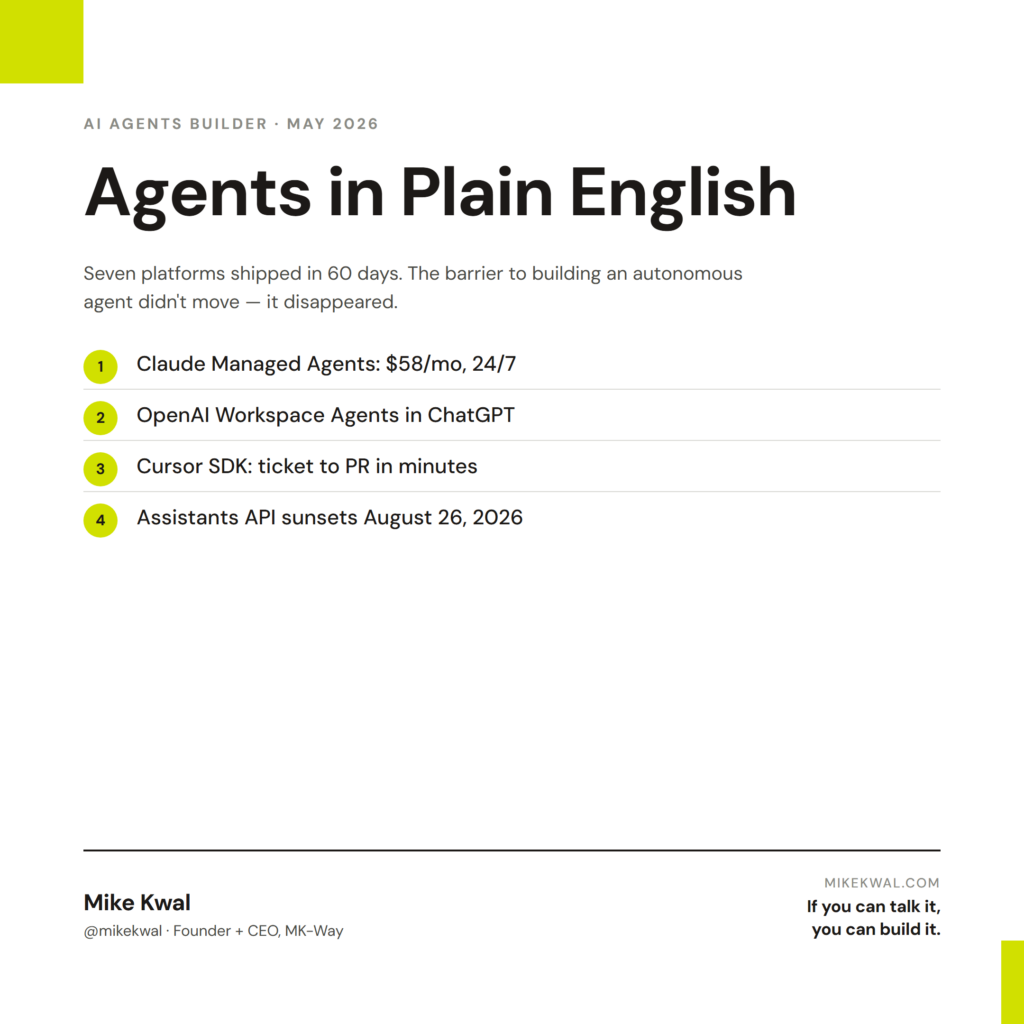
What’s in this article
- What an “AI agent” actually is in 2026 — and the one shift that makes it different from last year’s chatbots.
- The 7 platforms a non-engineer can use today — Claude Managed Agents, Anthropic Plug-and-Play, OpenAI Workspace Agents, Cursor SDK, Google Gemini Enterprise, Microsoft Agent 365, Wix Automations.
- A simple framework for picking the right one based on where your team already works.
- The OpenAI API migration deadline on August 26, 2026 — and exactly what to do if you have an old Assistants API agent in production.
- FAQ with the questions builders ask me every week.
🚀 Plug this into Claude Code or Google Antigravity
Don’t want to read all this? Get the one-click implementation pack: download the spec, drop it into Claude Code, and let it implement on your site. Platform decision matrix, designer-use-case briefs (client comms loop, weekly site QA, Figma-to-embed code), and quick-start prompts for OpenAI Workspace Agents, Claude Managed Agents, Cursor SDK, and Wix Automations all included.
Get stuck? Want hands-on Q&A, weekly office hours, or help applying this to your specific Shopify / WordPress / Webflow site? That’s what the Talk-to-Build community is for — a technical support community for designers and creative directors building with AI.
For a long time, “build an AI agent” was a sentence reserved for engineers. You needed a stack. You needed a team. You needed someone who knew what a vector database was.
Not anymore. As of this spring, every major platform shipped a way for normal humans to build agents in plain English. This post is the map.
What “AI agents” really means in 2026
A chatbot answers a question. An agent does work.
The shift is small in words and huge in practice. An agent has three things a chatbot doesn’t:
- A goal. Not “answer this,” but “get this done.”
- Tools. It can read your email, write a doc, post in Slack, push code, run a script.
- Memory. It remembers what it did yesterday so it can pick up today.
You don’t need to know how this works under the hood. You just need to know that “build an agent” in 2026 means: describe the work you want done, point it at the tools you already use, and let it run.
The seven platforms below all do this. They differ in where they live and how much they cost. Pick the one that matches where your team already works.
1. Claude Managed Agents (no infrastructure)
Anthropic shipped Claude Managed Agents in public beta on April 8, 2026. The pitch is simple: you describe the agent in plain English, define the tools it can use, set guardrails, and Anthropic runs the whole thing for you. No servers. No DevOps. No platform team.
Real customers were live on day one. Notion lets teams hand off coding, slides, and spreadsheets to Claude without leaving the workspace. Asana built “AI Teammates” that pick up assigned tasks inside projects. Rakuten rolled out specialist agents across product, sales, marketing, finance, and HR — each one live in under a week.
Pricing is $0.08 per runtime hour plus standard Claude usage. An agent running 24/7 is roughly $58/month before token costs. (SiliconANGLE)
Use this if: you want the simplest path from “I have an idea” to “the agent is running.”
2. Anthropic Plug-and-Play Business Agents
If Managed Agents is the empty workshop, Anthropic’s plug-and-play agents are the pre-built kits. Anthropic shipped these for finance, engineering, design, legal, and HR — each one a stock agent with the data flows and skills the department actually uses.
The finance kit, for example, comes with market research, financial modeling, and competitive analysis built in. The HR kit knows how to draft job descriptions, onboarding docs, and offer letters. (TechCrunch)
On May 5, 2026, Anthropic went deeper, shipping ten finance-specific agents for banks and insurers, with Microsoft 365 add-ins and Moody’s data baked in. (Fortune)
Use this if: your team’s job has a name (Finance, HR, Legal) and you’d rather start with 80% built than build from scratch.
3. OpenAI Workspace Agents (cross-tool, in ChatGPT)
OpenAI launched Workspace Agents on April 22, 2026. These are shared agents that live inside ChatGPT for your whole team. They run 24/7, hold memory, and connect to the tools you actually use: Slack, Gmail, Google Drive, Calendar, Docs, Sheets, SharePoint, Outlook, Salesforce, Notion, GitHub, and Atlassian. (OpenAI)
The big idea: build the agent once, share it with the team, and improve it together. One person creates a “weekly sales digest” agent that pulls from Salesforce + Gmail + Slack, and the whole team uses it.
It’s free for ChatGPT Business, Enterprise, and Edu plans through May 6, 2026. After that, OpenAI moves to credit-based pricing. (VentureBeat)
Use this if: your team already lives in ChatGPT Business or Enterprise and your work crosses Slack, Drive, and Gmail every day.
4. Cursor SDK (autonomous coding agents from plain English)
This one is for builders who write software — or want their AI to.
Cursor SDK launched on April 29, 2026. It’s a TypeScript layer that lets you build autonomous coding agents that run on their own. You describe what you want in plain English, the agent breaks it into subtasks, edits the right files, runs the terminal, opens a pull request, and waits for your approval. (Analytics Drift)
The minimum working agent is under 15 lines of code. Rippling, Notion, Faire, and C3 AI were live with it on launch day.
The killer use case: drag a Linear ticket to a board, the agent reads it, writes the code, opens the PR. No engineer in the middle until review. (TechCrunch)
Use this if: you ship software and want to compress your “ticket → pull request” loop from hours to minutes.
5. Google Gemini Enterprise Agent Platform (no-code, 200+ models)
At Google Cloud Next ’26 (April 22, 2026), Google merged Vertex AI and Agentspace into one product: the Gemini Enterprise Agent Platform. (Google Cloud Blog)
It runs 200+ models in the Model Garden — including Google’s own Gemini 3.1 Pro, plus Anthropic’s Claude Opus 4.7 and Sonnet, plus open-weight models like Gemma 4. You’re not locked into one model. You pick the right brain for the job.
The platform gives you a no-code agent builder for Google Workspace, an Agent Studio for visual flow design, and the Agent2Agent (A2A) protocol — a standard for agents from different platforms to talk to each other. (Bain)
Use this if: your stack is Google Workspace and you want to build an agent for your team without writing code.
6. Microsoft Agent 365 ($15/user, inside Word/Excel/Teams/Outlook)
Microsoft shipped Agent 365 on May 1, 2026 at $15/user/month as a standalone add-on, or bundled into the new M365 E7 plan. (Microsoft)
Agent 365 is two things at once:
- A control plane — one console where IT can see, manage, and govern every agent running in your business.
- In-app agents — Copilot can now build agents directly inside Word, Excel, PowerPoint, and Outlook. You describe what you want done in the doc, the agent does it.
If your business runs on Microsoft 365, this is the one your IT team is already evaluating. (The Register)
Use this if: your team lives in Word, Excel, Outlook, and Teams every day — and your IT team needs a way to govern agents safely.
7. Wix Automations Builder (talk to create automations)
You don’t have to be an enterprise to build agents. Wix has a small but useful one for site owners.
The Wix Automations Agent is a chat interface inside Wix Automations. You describe what should happen in plain English (“when someone fills my contact form, send them a confirmation email and add them to my CRM”), and the agent drafts the trigger, action, and timing for you. You review and ship. (Wix Help Center)
It’s free up to a quota and built into the Wix dashboard. No new tool, no new account.
Use this if: you run your business on Wix and want to automate the obvious flows (lead capture, follow-ups, internal notifications) without hiring a dev.
A simple framework for picking the right agent platform
Stop reading reviews. Answer two questions:
Question 1: Where does your team already work every day?
- Mostly ChatGPT → OpenAI Workspace Agents
- Mostly Microsoft 365 (Word, Excel, Outlook, Teams) → Microsoft Agent 365
- Mostly Google Workspace → Gemini Enterprise Agent Platform
- Mostly Notion / Slack / Linear / GitHub with Claude → Claude Managed Agents
- A Wix website → Wix Automations Builder
Question 2: What’s the agent doing?
- Pre-built department work (finance, HR, legal) → Anthropic Plug-and-Play
- Coding work (tickets to PRs, refactors, bug fixes) → Cursor SDK
- Cross-tool work (read email + post Slack + update CRM) → OpenAI Workspace Agents
- Custom logic unique to your business → Claude Managed Agents
If two answers point at the same platform, that’s your starting point. Start small. Ship one agent. See if it earns its keep. Then build the next.
My $0.02 — How I’d actually use AI agents on client work
Most coverage of agents reads like enterprise IT planning. That’s not how I’d actually use this on a design project. Here’s where I’d plug in agents if I were running an agency build today — as a designer, creative director, or freelancer shipping client websites on Wix, Shopify, WordPress, or Webflow.
On the client’s site itself — Wix Automations Builder. The first place I’d reach is the Wix Automations Agent. If I’m wrapping a Wix build for a client, I’d talk to it: “When someone fills the contact form, send a confirmation email, tag them in my CRM, and ping me in Slack.” Three sentences, done. No “we need to scope automation as a Phase 2 SOW.” It ships with the site. That’s billable polish that used to take a developer.
On the comms layer — OpenAI Workspace Agents. During a client build, I lose hours on the same loop: client emails a logo change, I forward it to the designer, the designer asks a clarifying question, I relay it back. I’d build a Workspace Agent that watches Gmail + Slack for anything tagged with the project name, drafts a reply, surfaces unresolved questions, and posts a Friday digest into the client’s shared channel. Same agent, every project — I just point it at a new Drive folder.
On the QA layer — Claude Managed Agents. Every Monday I’d have a Claude Managed Agent scan every live client site for broken links, missing alt text, busted schema, and pages that aren’t AEO-ready. It posts a one-line health report into a Slack channel. If I’m running 20 client sites, that’s 20 things I would otherwise check by hand or never check at all. At ~$58/month it pays for itself the first time it catches a broken checkout.
On the build layer — Cursor SDK. This is the one most designers skip because it sounds developer-y. Don’t. If I’m shipping Webflow custom embeds based on Figma annotations, I’d wire up a Cursor SDK agent that reads the annotation, writes the embed code, and drops it into a PR. Same for Shopify Liquid snippets and WordPress block patterns. I’m not asking a designer to write TypeScript — I’d build it once with Claude in the loop and reuse it across every project.
The pattern: agents don’t replace the designer. They replace the dead time between the design decision and the shipped pixel. That’s where the margin lives.
OpenAI Realtime → Responses API: the migration deadline you can’t miss
Quick but important. If you (or your dev) built anything on OpenAI’s old Assistants API, it stops working on August 26, 2026. (OpenAI Community)
OpenAI is moving everyone to the Responses API + Conversations API, with Prompts as the new way to configure assistant behavior. The same prompt config also reuses through the Realtime API, so a single definition works for chat, streaming, and voice. (OpenAI)
What to do this month
- Find every place in your codebase that uses the Assistants API. Search for
client.beta.assistantsor/v1/assistants. - Pick a hard internal deadline of July 2026. Don’t bet on the August grace period — the OpenAI community is reporting no extensions.
- Use OpenAI’s official migration guide. It maps every old endpoint to the new one. (Migration guide)
- Test the new flow end-to-end before you flip the switch in production.
If you’re not on the Assistants API, you can ignore this section entirely.
“Build an agent” used to mean hire a team. In 2026 it means describe the work, pick the tools, and watch it run. The barrier didn’t move — it disappeared.
FAQ
Do I need to know how to code to build an agent in 2026?
No. Six of the seven platforms above are built for non-coders. The only one that requires code is the Cursor SDK, and that one is for developers who want to embed agents in their own products. For everything else, you describe the work in plain English.
What’s the cheapest way to start?
The Wix Automations Agent is free up to a quota if you have a Wix site. After that, OpenAI Workspace Agents are free for ChatGPT Business plans through May 6, 2026. Claude Managed Agents start at about $58/month for a 24/7 agent before token costs.
Can my agent talk to a different team’s agent?
Yes — that’s exactly what Google’s Agent2Agent (A2A) protocol does. It’s a standard for agents on different platforms to hand work off to each other. Microsoft’s Agent 365 also works as a control plane across third-party agents.
What’s the difference between Claude Managed Agents and Anthropic’s Plug-and-Play agents?
Managed Agents is the empty workshop — you build the agent. Plug-and-Play is the pre-built kit for a specific department (finance, HR, legal, engineering, design). Same company, different starting points.
My business runs on Microsoft 365. Should I wait for Agent 365 or use something else now?
If you’re in Microsoft already, Agent 365 is the answer. It launched May 1, 2026 at $15/user/month, and it lives where your team already works. The bonus: IT gets the control plane to govern every agent in the company.
I built an agent on OpenAI’s Assistants API last year. Do I really need to migrate?
Yes. The Assistants API shuts off August 26, 2026 with no extensions confirmed. Move to the Responses API now. Set your internal deadline for July 2026 to give yourself a buffer.
What’s the one thing I should ship this week?
Pick one annoying recurring task — the one that eats 20 minutes of your day. Write what should happen in three sentences. Open the platform that matches where your team works. Build the agent. Ship it. That’s the whole game.
Want help applying this?
Four ways to go deeper:
- Build with Builders. Join the Talk-to-Build community to Learn how to Earn money with AI, Download our AI Skills, Advance your business, Learn to build real assets for Website Design & Shopify stores — Gen-AI images, cinematic AI videos, conversational AI office secretaries — that you can sell to SMBs that want the outcomes but don’t have time to learn the skills.
- Done-for-you. MK-Way builds AEO-ready websites and apps for design agencies and founders who want it shipped fast.
- Quick question. DM me on Instagram. I read every message.
- B2B / strategy. Connect on LinkedIn for deeper conversations about AI in design and agency work.
If you can talk it, you can build it.
Last updated: May 7, 2026.