

What’s in this article
- What Claude for Word does — drafts, edits, and revises right inside the document.
- How the cross-app conversation works across Word, Excel, and PowerPoint.
- Why this matters for designers who write proposals, SOWs, and case studies.
- The exact use cases that move the needle for an agency or freelancer.
- How I’d actually use this on a real client SOW.
I’m Mike Kwal. I write proposals, SOWs, contracts, and case studies in Word every week. This update changes the shape of that work for me.
What just happened
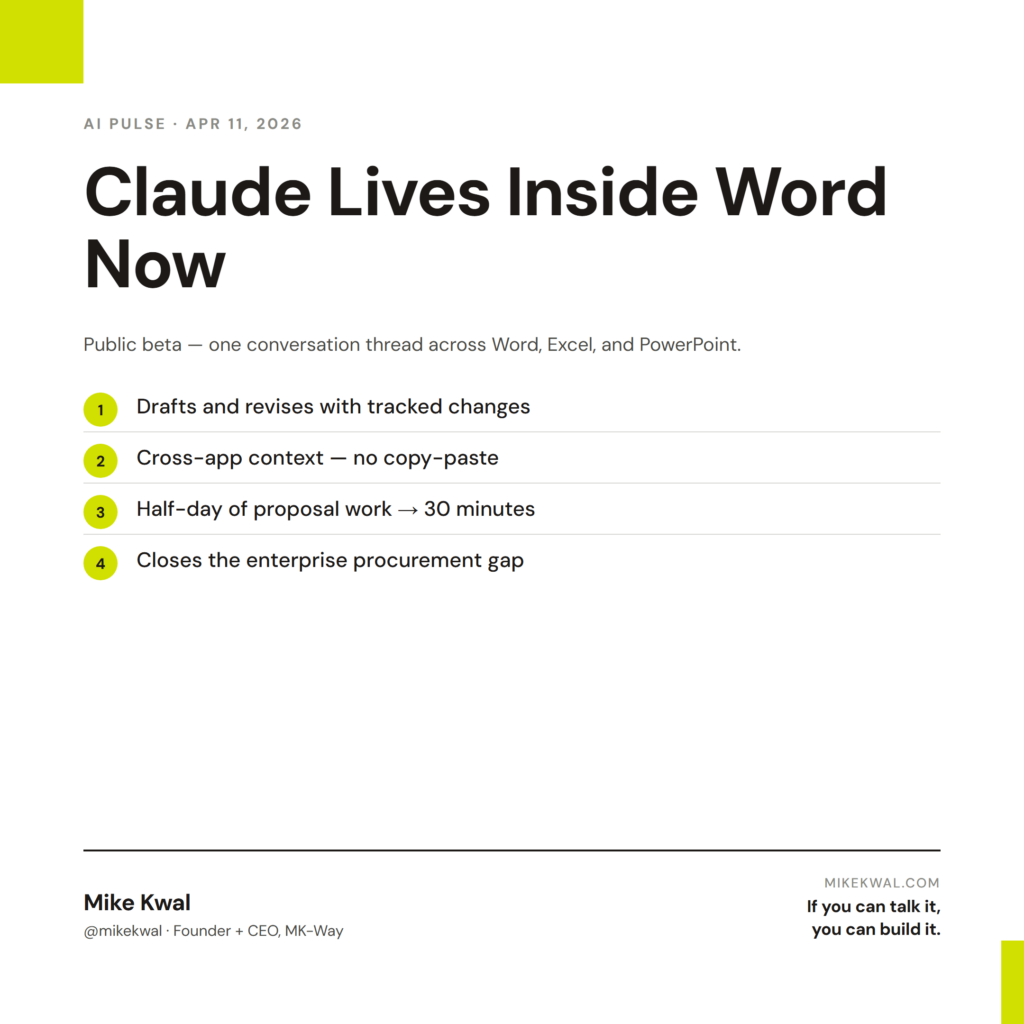
Anthropic shipped a public beta of Claude for Microsoft 365. It’s a sidebar that lives inside Word, Excel, and PowerPoint. You highlight a section, ask Claude to revise it, and it shows up as tracked changes you can accept or reject.
The bigger move: the conversation is shared across all three apps. Edit a paragraph in Word, then ask Claude to “build a chart from this data in Excel.” Same thread. Same context. No copy-paste.
Microsoft Copilot has been the obvious incumbent here. Claude jumping into the same surface is a meaningful design choice from Anthropic — they’re not waiting for users to come to them. They’re meeting users where the work already lives.
Why this matters for designers
Designers don’t only write design files. We write a lot of long-form business writing — proposals, SOWs, project plans, case studies, retainer agreements, post-mortems. And most of that work happens in Word or Google Docs because that’s where clients can comment.
Claude for Word means I can draft a SOW, ask Claude to tighten the scope language, and accept or reject the tracked changes — all without leaving the file. No tab switching. No copy-paste. No risk of pasting AI output that loses my formatting.
The cross-app piece is the unlock for case studies. Build the narrative in Word. Ask Claude to “make a comparison chart from these numbers in Excel.” Then “turn this case study into a 5-slide pitch in PowerPoint.” Same thread, three deliverables. What used to be a half-day of formatting becomes 30 minutes.
For agency owners, this also closes a procurement gap: most of my enterprise clients require Word-based contracts, not Google Docs. If Claude lives in Word, I can use it during contract drafting without breaking my client’s process.
My $0.02 — How I’d actually use this
Here’s how I’d run a typical Friday in my studio with Claude for Word turned on.
Step 1: Draft a client SOW. I open a Word doc, paste my standard SOW template, and use Claude to rewrite the scope section based on a Loom call I had with the prospect. Tracked changes. I accept the ones that match my voice and reject the ones that don’t. 20 minutes for what used to take 90.
Step 2: Pull case study numbers from Excel. Same conversation. “Pull the conversion rate lift from the case study sheet, format as a clean comparison table.” Claude reads the Excel file in the next tab and writes the table back into Word. I don’t open Excel.
Step 3: Slide deck for the proposal call. Same thread. “Take the SOW we just drafted and build a 5-slide pitch deck. Slide 1: the client’s problem. Slide 2: my approach. Slide 3: timeline. Slide 4: deliverables. Slide 5: investment.” PowerPoint opens. The deck is built using my brand template. I review it, tweak two slides, ship it.
That’s a full proposal package — SOW, supporting numbers, pitch deck — in under an hour. Most designers spend a half day on this every week. Reclaiming that time is real.
What I’d skip: I wouldn’t let Claude write the actual contract terms (legal language, indemnity clauses, termination clauses). Those still go through a lawyer. But everything around the contract — scope, narrative, slides, recap emails — that’s Claude territory.
The bigger lesson: AI is moving from “open a chat tab” to “live inside the tool you already use.” For designers, that means the AI productivity gain is no longer a “switch tabs” tax. It’s just there.
Want the full playbook?
The full set of AI tools I run my studio on — Claude for Word being one — is laid out in my Talk-to-Build Stack.
FAQ
Do I need a Microsoft 365 subscription?
Yes. Claude for Word lives inside Word; you need a working Microsoft 365 license. Personal or Business both work for the beta.
Is it free?
The beta is included with paid Claude plans (Pro, Team, Enterprise). Pricing post-beta hasn’t been announced.
Does it work with Google Docs?
No — this is Microsoft 365 only. Claude has separate native integrations for Google Docs through Claude Desktop.
What about my client’s data?
Anthropic’s enterprise privacy posture applies — your document content isn’t used to train models. For sensitive work, double-check the data residency settings before pasting client info.
Should I switch from Microsoft Copilot?
You can run both. Copilot is tighter into Microsoft’s data layer (calendars, Teams, Sharepoint). Claude is stronger at long-form writing. Different tools, different strengths.
Want help applying this?
Four ways to go deeper:
- Build with Builders. Join the Talk-to-Build community to Learn how to Earn money with AI, Download our AI Skills, Advance your business, Learn to build real assets for Website Design & Shopify stores — Gen-AI images, cinematic AI videos, conversational AI office secretaries — that you can sell to SMBs that want the outcomes but don’t have time to learn the skills.
- Done-for-you. MK-Way builds AEO-ready websites and apps for design agencies and founders who want it shipped fast.
- Quick question. DM me on Instagram. I read every message.
- B2B / strategy. Connect on LinkedIn for deeper conversations about AI in design and agency work.
Last updated: May 7, 2026.