

What’s in this article
- What Gemini Personal Intelligence does — connects to your Google data and uses it as context.
- Why this beats prompting Claude with copy-pasted context.
- What “Gemini knows my schedule” looks like in practice.
- The privacy trade-offs designers should think about.
- How I’d actually use this on a typical client week.
I’m Mike Kwal. I run my whole studio on Google Workspace. So Gemini suddenly being able to read all of it as context for any prompt is a meaningful unlock.
What just happened
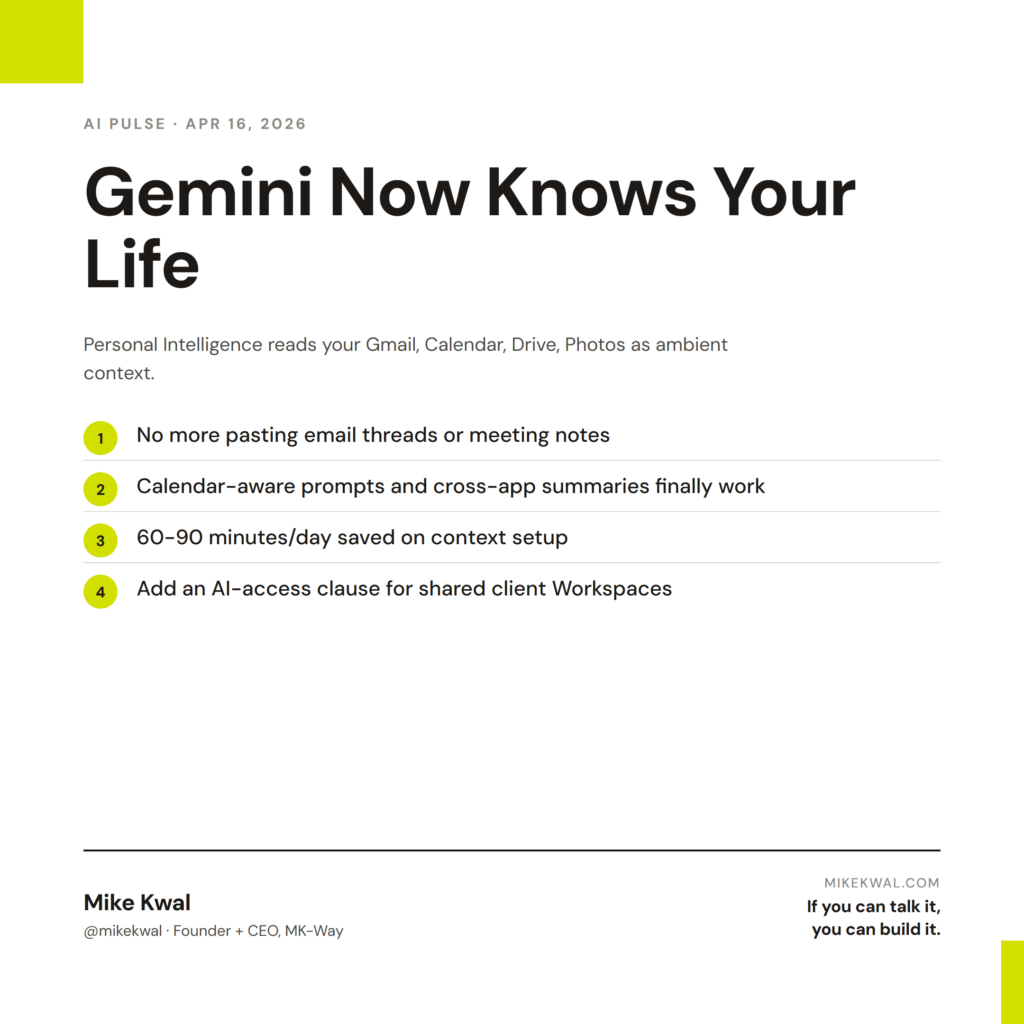
Google rolled out Gemini Personal Intelligence globally. It connects to your Gmail, Calendar, Drive, Photos, YouTube history, and Maps — and uses that data as ambient context for every Gemini conversation.
Plain English: when I ask Gemini “summarize my upcoming week,” it actually reads my calendar. When I ask “draft an email to the prospect from yesterday’s call,” it pulls the call transcript from Drive and the prospect’s email thread from Gmail.
No more copy-pasting context. No more re-explaining who I’m talking to. Gemini already knows.
Why this matters for designers
For designers who run their business on Google Workspace, this is the biggest productivity unlock since shared Drives. Three reasons.
Context-free prompting goes away. The biggest tax on AI productivity is the “set up the context” step — pasting the email thread, the meeting notes, the brand brief. Gemini Personal Intelligence skips it. You ask the question; the AI already has the context.
Calendar-aware tasks work. “Schedule a follow-up with the prospect from Tuesday’s pitch” or “block Friday afternoon to draft the deck for next week’s call” — these only work when the AI can see your calendar. Now it can.
Cross-app summaries become real. “What did the team discuss this week?” pulls from Gmail, Drive comments, and Calendar invites in one answer. That’s the kind of cross-app synthesis that was previously a project in itself.
The flip side: this is the deepest data access you’ve ever granted an AI. Designers handling NDA work for clients should think carefully about scoping.
My $0.02 — How I’d actually use this
Here’s how I’d run a typical Monday in my studio with Gemini Personal Intelligence on.
8 AM: “Summarize my week.” Gemini reads my Calendar, Gmail, and Drive. Spits out a one-page brief: which clients have meetings, which have outstanding deliverables, which have invoices due. I plan the week from this in 5 minutes.
10 AM, before a client call: “What’s the latest on Client A?” Gemini pulls the email thread, the last meeting transcript, and the project brief from Drive. I walk into the call with full context, not the panicked 5-minute scramble I used to do.
2 PM, content day: “Draft a LinkedIn post about today’s AI Pulse digest.” Gemini reads the digest from Drive, my recent LinkedIn posts (from the integration with my LinkedIn account), and writes one in my voice. I edit and post.
4 PM, planning: “What needs to happen by Friday?” Gemini reads my open task list across Calendar reminders, Gmail flags, and Drive comments. Full to-do list, prioritized.
That’s a Monday running on ambient AI context instead of copy-paste. The lift is real — easily 60–90 minutes back per day.
What I’d be cautious about: scoping. Gemini reading my own Workspace is fine. But if I’m running a client’s Workspace under their account (some agencies do), the same access pattern means Gemini reads the client’s internal communications. Most clients haven’t thought about this. I’d add a clause to my contracts about AI tool access on shared workspaces and have a conversation about boundaries before turning Personal Intelligence on for a shared account.
The bigger lesson for designers: the next leverage layer isn’t a smarter AI — it’s an AI with more access to your context. The brands you work with, the projects you’ve shipped, the meetings you’ve had. The studios that wire this in well will move noticeably faster than studios that don’t.
Want the full playbook?
For the full AI tool stack I run my studio on — including how Gemini fits next to Claude — see my Talk-to-Build Stack.
FAQ
Is Personal Intelligence on by default?
No — you opt in per Google account. The setting is in your Google account dashboard.
Does Google use my data for training?
By default Workspace data is not used for model training. Personal Gmail/Drive accounts have different defaults. Check your tenant’s settings.
Can I scope what Gemini sees?
Partially — you can disable individual integrations (e.g., turn off Photos but keep Gmail). It’s not yet possible to scope by folder.
What about NDAs?
If you’re handling client confidential data, talk to the client about your AI tool stack. A simple addendum can clarify expectations and protect you.
Should I use Gemini or Claude for daily ops?
Both. I use Gemini for Workspace-context tasks (calendar, email, Drive) and Claude for build tasks. Different superpowers.
Want help applying this?
Four ways to go deeper:
- Build with Builders. Join the Talk-to-Build community to Learn how to Earn money with AI, Download our AI Skills, Advance your business, Learn to build real assets for Website Design & Shopify stores — Gen-AI images, cinematic AI videos, conversational AI office secretaries — that you can sell to SMBs that want the outcomes but don’t have time to learn the skills.
- Done-for-you. MK-Way builds AEO-ready websites and apps for design agencies and founders who want it shipped fast.
- Quick question. DM me on Instagram. I read every message.
- B2B / strategy. Connect on LinkedIn for deeper conversations about AI in design and agency work.
Last updated: May 7, 2026.