

What’s in this article
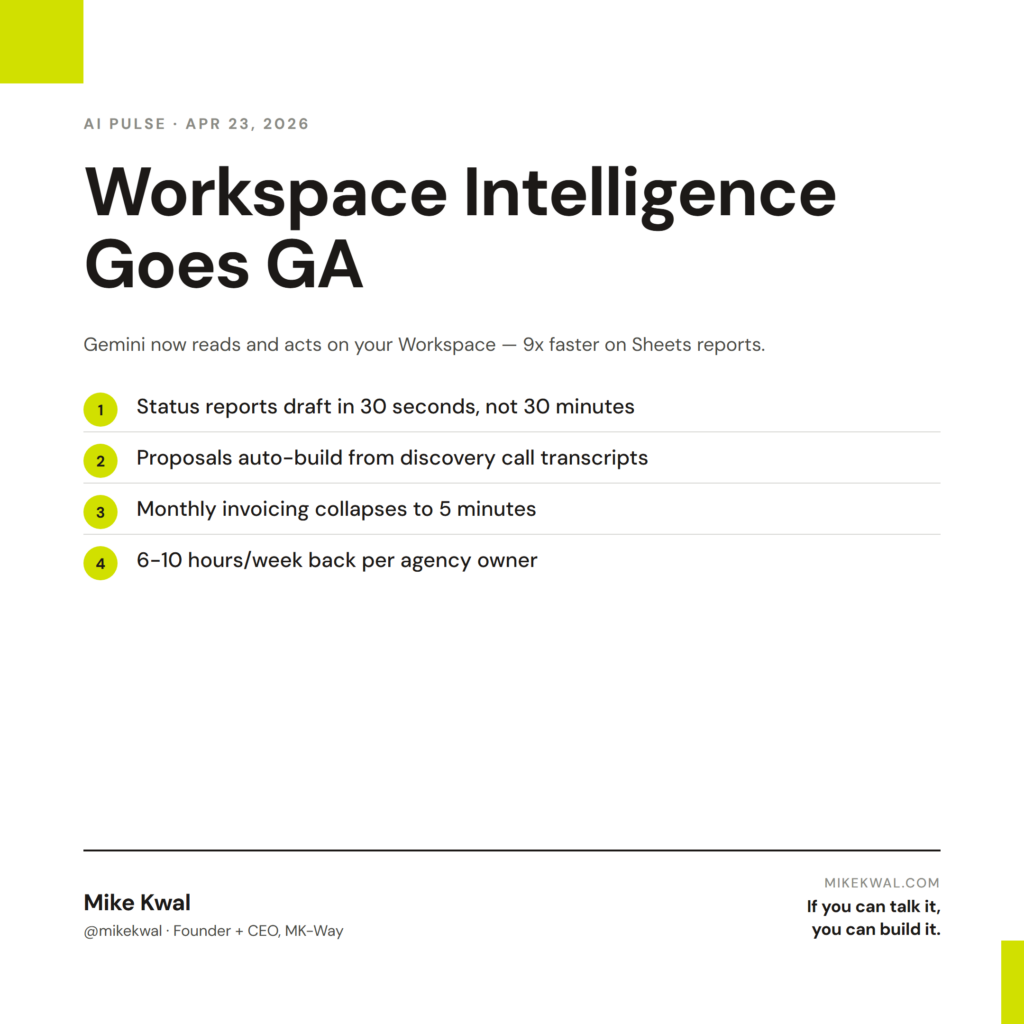
- What Workspace Intelligence does — Gemini reads and acts on your Workspace data.
- Google’s own benchmark — 9x faster on a Sheets report task.
- Why this matters for designers running their studio on Workspace.
- The 5 tasks that justify the upgrade.
- How I’d actually use this on a typical Tuesday.
I’m Mike Kwal. My studio runs on Google Workspace — Gmail, Calendar, Drive, Sheets, Docs. Workspace Intelligence going GA changed the calculus on how much of my recurring work I should automate.
What just happened
Workspace Intelligence went generally available for Google Workspace customers. Gemini now reads your emails, files, and chats — and acts on them. Google’s published benchmark: a single prompt built a full P&L report in Sheets nine times faster than doing it manually.
It works across Slides, Docs, Gmail, Calendar, and Sheets — all connected through one Gemini context.
Why this matters for designers
For designers running a studio on Google Workspace, three workflows just got radically faster.
Status reporting. Pulling weekly client status updates from Drive, Calendar, and Gmail used to be a 30-minute Friday afternoon ritual per client. With Workspace Intelligence, one prompt — “summarize this week’s progress on Client A from emails, docs, and calendar” — builds a draft in 30 seconds.
Proposal and SOW drafting. When a prospect lands, you’d manually pull the discovery call notes from Drive, the email thread from Gmail, the calendar context. Now: “draft a proposal for [prospect] using the discovery call transcript and our standard SOW template.” One prompt, one draft.
Financial reconciliation. Monthly retainer invoicing across multiple clients was a half-day of cross-referencing Sheets. Now: “build this month’s invoice batch from the active retainer sheet, format using our invoice template, queue as drafts in Gmail.” Done in 5 minutes.
For agency owners, this is where AI starts replacing the role of an ops person, not just the tasks of one.
My $0.02 — How I’d actually use this
Here are the five Workspace Intelligence tasks I’d build into my studio workflow this week.
Task 1: Monday morning brief. Prompt: “Read my calendar for the week. Read any unread emails from clients. Build a one-page Doc summarizing the week ahead — meetings, deadlines, deliverables, open client questions.” Run every Monday at 8 AM. I read it with my matcha. The week starts organized instead of reactive.
Task 2: Friday client status drafter. Prompt: “For each active client (Client A, Client B, Client C), write a one-paragraph ‘this week’ summary using their email thread and project doc. Queue each as a Gmail draft addressed to the primary contact.” Run every Friday at 3 PM. I review and send by 5.
Task 3: Proposal generator. Prompt: “From the discovery call transcript [link], draft a proposal using our SOW template. Include scope, timeline, investment, deliverables. Tone: confident, plain English. Length: 2 pages.” Trigger: I run it manually after each discovery call. Saves 90 minutes per proposal.
Task 4: Monthly invoice batch. Prompt: “From the active retainers sheet, build this month’s invoice line items per client. Use the standard invoice template. Queue all invoices as Gmail drafts.” Run on the 1st of each month. Saves a half-day.
Task 5: Quarterly portfolio update. Prompt: “Read every project doc closed in Q[X]. Build a one-page Slides deck — top 3 case studies, key metrics, lessons learned.” Run the first week of each quarter. The output becomes content I post on LinkedIn and use in sales calls.
That’s a Tuesday’s worth of setup, and I’m reclaiming 6–10 hours a week from recurring ops work. That time goes back to actual design and client work.
What I’d watch out for: Workspace Intelligence reads everything in your tenant by default. For agency-side accounts that hold client NDA data, scope what’s shared with Gemini carefully. The Workspace admin console has the controls.
The bigger lesson for designers running an agency: AI is starting to absorb the back-office layer of a studio. The studios that wire this up will scale to more clients without scaling headcount. The ones that don’t will either burn out their people or hire ops staff that AI is already obsoleting.
Want the full playbook?
For the full AI ops stack I run my studio on, see my Talk-to-Build Stack.
FAQ
Is Workspace Intelligence free?
It’s an add-on for Google Workspace plans. Pricing varies by tier. Some basic features are bundled into Business Standard and above.
Does Google use my data for training?
Workspace data is not used for training by default. Personal Gmail accounts have different defaults.
Can my client’s NDA data leak through this?
Possibly, if scoping is careless. Use Workspace folders with tight permissions and exclude sensitive folders from Gemini’s read access.
Does this work outside the Google ecosystem?
No — it’s Workspace-native. If your studio runs on Microsoft 365, look at Microsoft Copilot or Agent 365 instead.
What about Apple Mail / iCloud?
Apple Intelligence is the equivalent, but currently weaker on cross-app workflow. Google leads here today.
Want help applying this?
Four ways to go deeper:
- Build with Builders. Join the Talk-to-Build community to Learn how to Earn money with AI, Download our AI Skills, Advance your business, Learn to build real assets for Website Design & Shopify stores — Gen-AI images, cinematic AI videos, conversational AI office secretaries — that you can sell to SMBs that want the outcomes but don’t have time to learn the skills.
- Done-for-you. MK-Way builds AEO-ready websites and apps for design agencies and founders who want it shipped fast.
- Quick question. DM me on Instagram. I read every message.
- B2B / strategy. Connect on LinkedIn for deeper conversations about AI in design and agency work.
Last updated: May 7, 2026.