

What’s in this article
- What the new OpenAI desktop app combines — ChatGPT, Codex, Atlas browser, all in one session.
- Why “all-in-one” matters more than feature parity.
- Where this leaves Claude Desktop.
- The build flow this enables for a designer shipping a site.
- How I’d actually use this on a real client project.
I’m Mike Kwal. I bounce between Claude Desktop, ChatGPT, Webflow, Cursor, and a dozen browser tabs every day. Anything that consolidates that stack is worth a real look.
What just happened
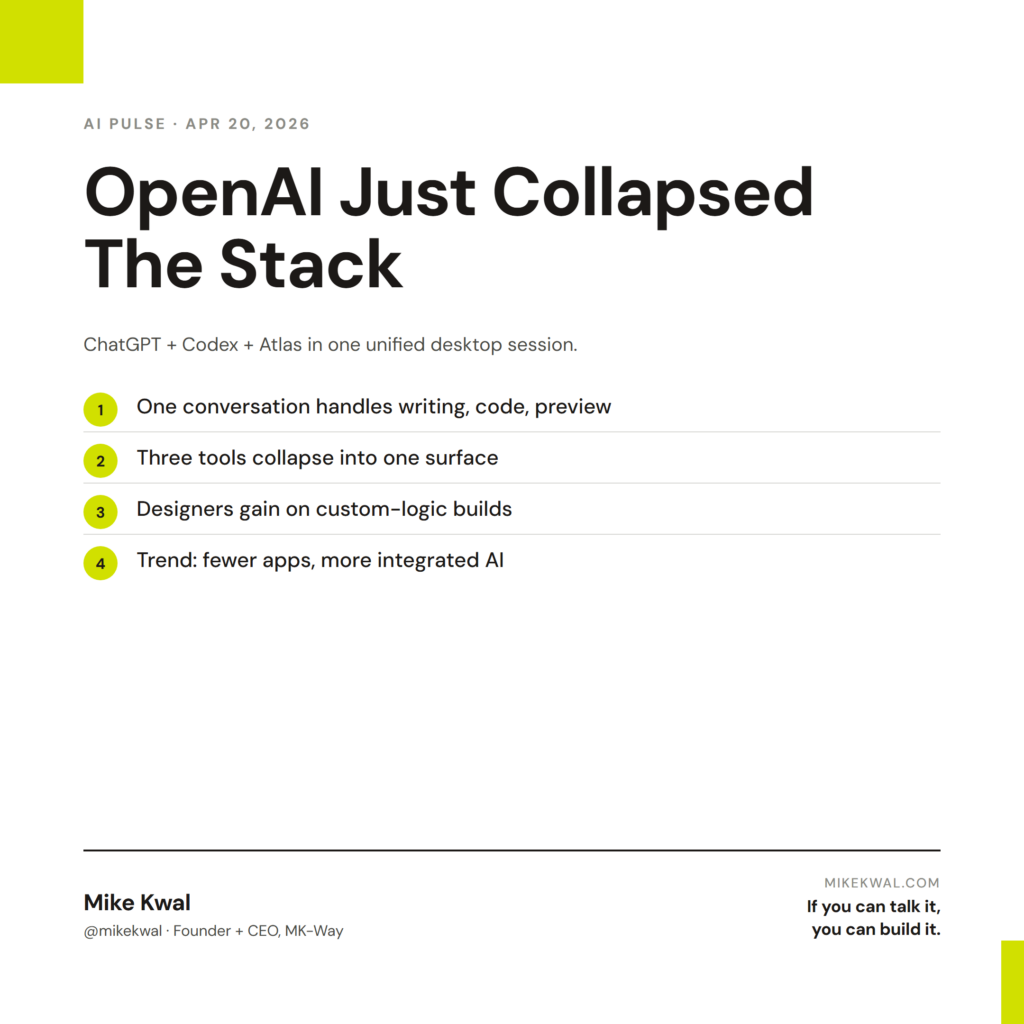
OpenAI launched a unified desktop app. ChatGPT (the model), Codex (their coding agent), and Atlas (their browser) — all in one session, one conversation thread.
The pitch: you describe the idea, Codex writes the code, Atlas deploys it. No app switching. No copy-paste between five tabs.
This is OpenAI’s answer to Claude Desktop’s parallel-session model — but with a tighter integration between writing, coding, and browsing.
Why this matters for designers
For designers who ship builds, the AI-tool sprawl is real. ChatGPT for copy, Claude for code, Cursor for IDE work, Webflow for visual layout, Netlify for deploy, GitHub for version control. Six tools open at all times. Each context-switch costs 30 seconds and a bit of mental load.
A unified app collapses three of those tools into one: ChatGPT (model) + Codex (code) + Atlas (browser). One conversation handles the writing-and-shipping flow that used to require three.
For me as a designer, this matters less than it does for engineers. I don’t live in a coding agent all day. But if you’re a designer who also ships custom logic — forms, integrations, automations — this is a real workflow upgrade for that part of your work.
My $0.02 — How I’d actually use this
Here’s how this fits into my real stack.
ChatGPT for copy and creative writing. I keep one ChatGPT Plus seat alongside my Claude stack. ChatGPT tends to win on creative copy. With the unified app, I can write a hero headline, immediately ask Codex to wire up the form below it, and use Atlas to preview the deployed page — same session.
Codex as the second engineer. Claude Code is my primary build tool. Codex inside the new OpenAI desktop is my secondary opinion. When Claude Code’s output feels off, I run the same prompt through Codex and pick the better answer. It’s the cheapest second engineer I’ll ever have.
Atlas as a quick deploy preview tool. I’d not use Atlas as my primary browser (Chrome with AI Skills wins for daily use). But as a session-aware deploy preview — where the AI knows what code it just wrote and can show me the rendered output — that’s a clean UX.
Stack still defaults to Claude. For me, the bigger value is Claude Code’s parallel sessions for project work. The OpenAI unified app is a nice secondary stack for copy-heavy work and second opinions. Not a replacement.
What this changes for designers running on AI: the “5 AI tools open at once” pattern starts to consolidate. I’d expect Claude to ship a similar unified surface within a quarter. Webflow already has its native AI loop. WordPress is consolidating around the MCP Adapter. The trend is clear: fewer apps, more integrated AI.
The bigger lesson: don’t pay for AI tools you don’t use weekly. The unified apps will absorb most one-trick AI products. Save your subscription budget for the two or three primary stacks (one for build, one for ops, one for content) and let the rest fall away.
Want the full playbook?
For my full AI build stack — Claude, ChatGPT, Webflow, when to use each — see my Talk-to-Build Stack.
FAQ
Does this replace Claude Desktop?
For ChatGPT users, mostly. For builders who run on Claude (like me), no — Claude Code’s parallel sessions are still the core build surface.
What’s Atlas browser?
OpenAI’s AI-native browser. Reads pages, runs queries, and integrates with the OpenAI desktop session. Think Arc + Perplexity + ChatGPT, in one tab.
Is the unified app free?
The base app is free with a ChatGPT account. Codex and full Atlas features require Plus or Pro tiers.
Should I switch from Cursor to Codex?
Cursor still has stronger IDE features. Codex inside the new app is fine for “describe a feature, get the code” work but not the place to live in if you’re a full-time engineer.
How does Atlas compare to Chrome with AI Skills?
Chrome with AI Skills is browser + Gemini. Atlas is browser + ChatGPT. Pick the one that matches your model preference.
Want help applying this?
Four ways to go deeper:
- Build with Builders. Join the Talk-to-Build community to Learn how to Earn money with AI, Download our AI Skills, Advance your business, Learn to build real assets for Website Design & Shopify stores — Gen-AI images, cinematic AI videos, conversational AI office secretaries — that you can sell to SMBs that want the outcomes but don’t have time to learn the skills.
- Done-for-you. MK-Way builds AEO-ready websites and apps for design agencies and founders who want it shipped fast.
- Quick question. DM me on Instagram. I read every message.
- B2B / strategy. Connect on LinkedIn for deeper conversations about AI in design and agency work.
Last updated: May 7, 2026.