

What’s in this article
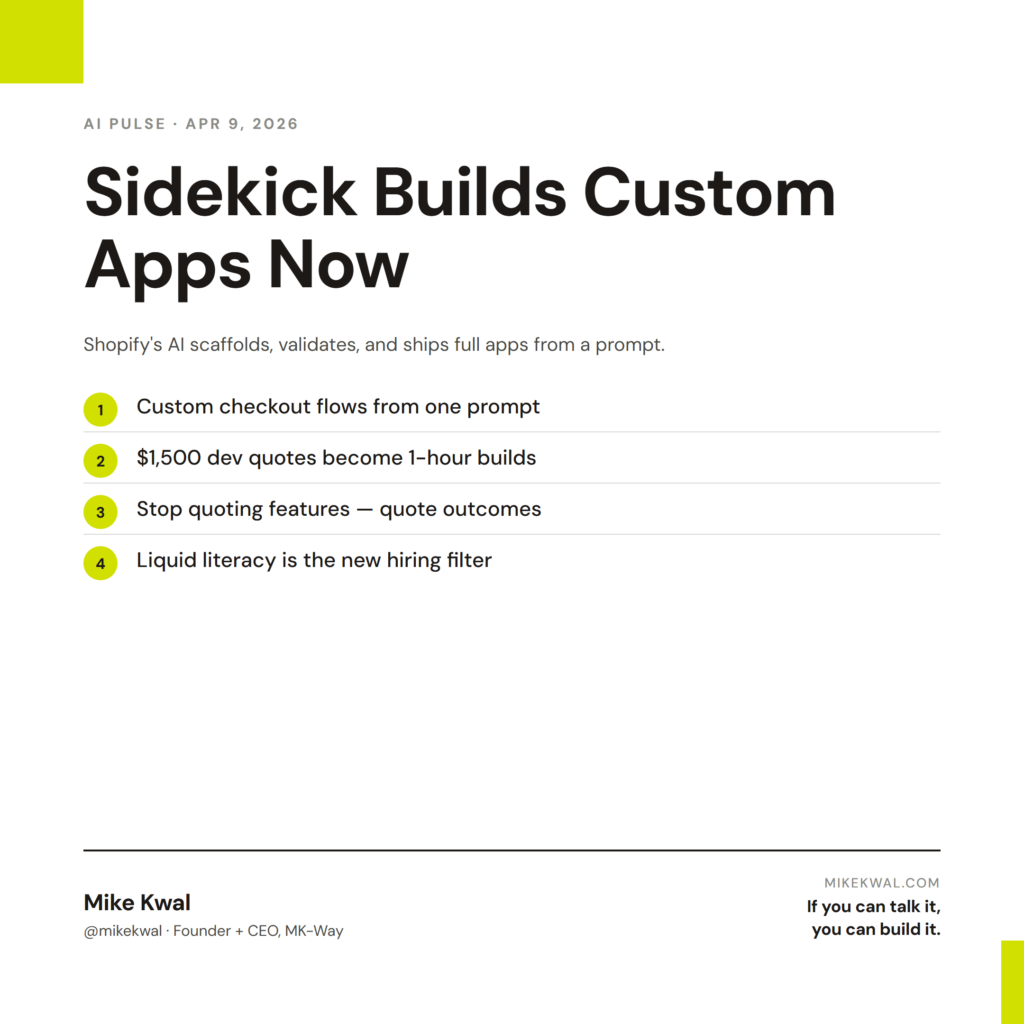
- What Shopify Sidekick now does — builds custom checkout flows, automations, and integrations from a prompt.
- Why this matters for ecom designers and store owners who used to need a Shopify dev.
- The use cases I’d start with — and the ones I wouldn’t trust yet.
- A real example of how to prompt it on a real Shopify store.
- How I’d actually use this on a client store I’m shipping.
I’m Mike Kwal. I ship Shopify stores for clients and have watched Sidekick evolve from “cute marketing assistant” to “actual app builder” in about 18 months. This update is the one that turned the corner.
What just happened
Shopify upgraded Sidekick — the AI assistant inside every Shopify dashboard — to do something it couldn’t do before. It now builds full custom apps end to end.
You describe the feature. Sidekick scaffolds the code, validates it against Shopify’s standards, and ships it inside your store. Custom checkout flows. Automations between collections. Third-party integrations to your CRM or shipping provider. The kind of work that used to mean hiring a $100/hour Shopify dev for two weeks.
It’s live in every paid Shopify plan now.
Why this matters for designers
If you ship Shopify stores, this changes your job in two clean ways.
The custom-build moat just got smaller. Designers who differentiated on “we can do custom checkout work” now compete with Sidekick. The good news: most clients can’t write a clear prompt. You can. The skill shifts from writing code to directing AI to write the right code.
The cost of the custom client request just collapsed. When a client asks for a “small custom feature” mid-project, that used to be either a $1500 add-on or a “we don’t do that.” Now it’s an hour of prompting and a Sidekick build. You can say yes more often, and the margin on each yes goes up.
The lift is real for store owners too: features that used to require a developer or a $50/month app subscription can now be a one-time Sidekick prompt.
My $0.02 — How I’d actually use this
Here’s the kind of prompt I’d run on a real client store this week.
A client’s store sells a product line that varies by size and engraving. The default Shopify variant picker is clunky for that — the customer picks size, then engraving, then quantity, and the price updates after each click. I’d open Sidekick and prompt:
“Build a custom variant picker for product type X. Show all three pickers (size, engraving option, quantity) on one row. Update the price live as the customer changes selections. Use my brand colors. Add a small note under the engraving picker showing ‘Allow 2 weeks for delivery’ when engraving is selected. Match the existing theme’s typography.”
Sidekick scaffolds the component, validates against my theme, and previews it. I tweak the spacing, ship it. What used to be a four-figure custom dev quote is now an afternoon.
The other place I’d lean on this hard: automation work. Custom flows like “when a customer buys product X, automatically send them a Loom welcome video and tag them in Klaviyo for the upsell sequence.” Sidekick can wire that up directly inside Shopify Flow without me opening Zapier or hiring out the integration.
What I’d not trust Sidekick with yet: anything that touches payments directly, anything that handles PII outside Shopify’s secure surfaces, and anything that needs custom JavaScript on the storefront. For those I’d still write or review the code by hand.
The mental shift for designers: stop quoting “custom features” as line items in your SOWs. Start quoting outcomes. “Custom variant experience” is what the client wants. How you build it — your prompt vs. a $1500 dev — is your business.
Want the full playbook?
For the full Shopify + Webflow + WordPress AI build stack, see my Talk-to-Build Stack — every tool I actually use, when to pick what.
FAQ
Is Sidekick free?
It’s bundled with paid Shopify plans. The custom-app-building features are tied to higher tiers (Shopify and above). Basic plan users still get the assistant features but with limits.
Can Sidekick break my store?
It works inside Shopify’s preview environment first. You see the change before it ships. Like any AI build, review before you publish to live.
Does this replace Shopify apps from the App Store?
For some categories, yes. Why pay $30/month for an upsell app when Sidekick can build the upsell logic into your theme directly? For complex categories (advanced analytics, multi-store inventory), apps still win.
What about clients who want to use Sidekick themselves?
Train them on five prompts they can use safely. Lock down the higher-risk areas via Shopify’s user permissions. Charge a maintenance retainer for anything they break.
Should I learn Liquid still?
Yes. Sidekick writes Liquid. Reading and reviewing it is now your superpower. The designers who know what good Liquid looks like will direct Sidekick better than designers who don’t.
Want help applying this?
Four ways to go deeper:
- Build with Builders. Join the Talk-to-Build community to Learn how to Earn money with AI, Download our AI Skills, Advance your business, Learn to build real assets for Website Design & Shopify stores — Gen-AI images, cinematic AI videos, conversational AI office secretaries — that you can sell to SMBs that want the outcomes but don’t have time to learn the skills.
- Done-for-you. MK-Way builds AEO-ready websites and apps for design agencies and founders who want it shipped fast.
- Quick question. DM me on Instagram. I read every message.
- B2B / strategy. Connect on LinkedIn for deeper conversations about AI in design and agency work.
Last updated: May 7, 2026.