

What’s in this article
- What “GA” means — Webflow AI Site Builder is now live for everyone, including Enterprise.
- What you actually get from one prompt — design system, animations, schema baked in.
- The 3-prompt formula for production-ready output (no AI slop).
- Where Webflow AI wins over hand-building or templates.
- How I’d actually use this on a real client marketing site.
I’m Mike Kwal. I ship Webflow client sites every month. The AI Site Builder going GA means my workflow on marketing sites just collapsed by 70%. Here’s how to use it without shipping AI slop.
What just happened
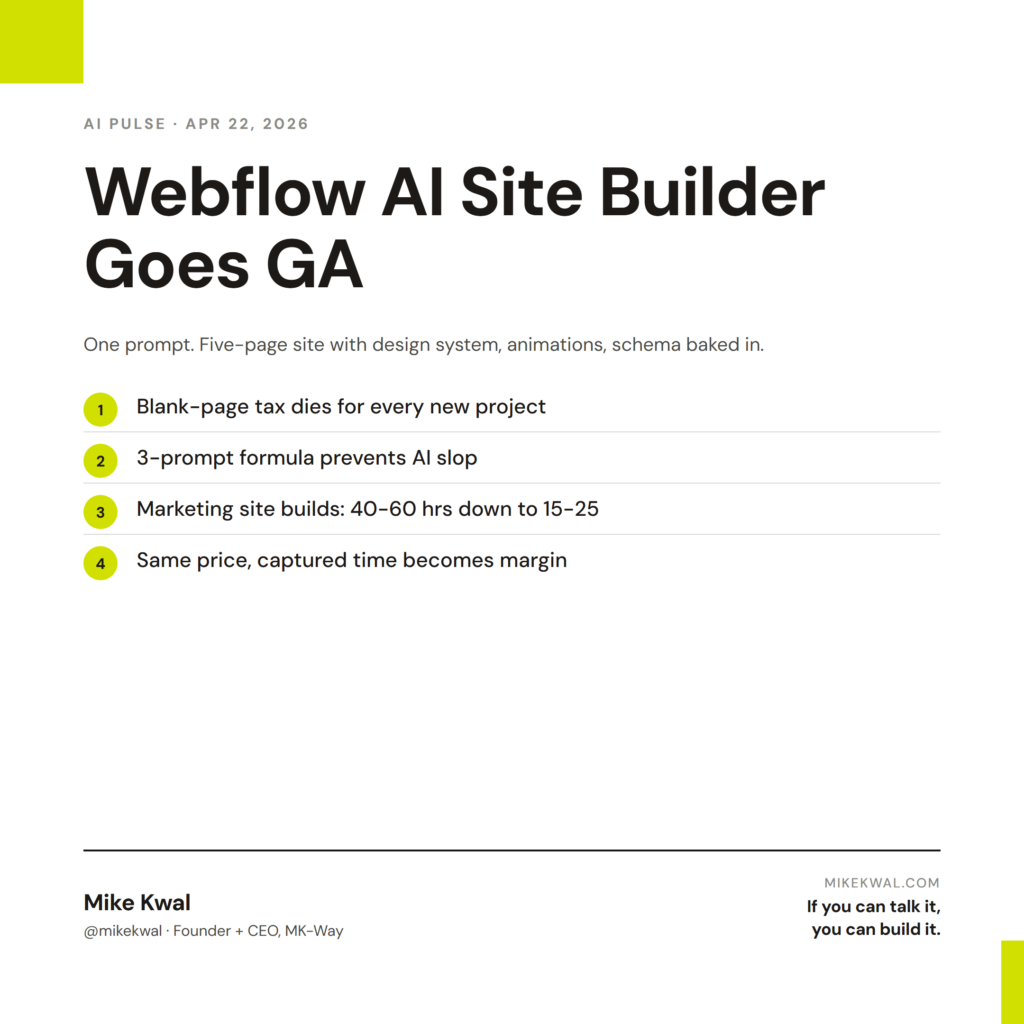
Webflow AI Site Builder went generally available. Including for Enterprise customers. One prompt now generates a complete five-page site with:
- Real design system (typography scale, color tokens, spacing)
- GSAP animations baked in
- Schema markup ready for AEO
- Connected CMS for blog/portfolio sections
- Mobile-responsive by default
The output is genuinely production-grade. Not a “good for a demo, hand-build the real thing” tool. A “this is the actual client site, with my polish layer on top.”
Why this matters for designers
Three things shift in your workflow.
The blank-page tax dies. Starting a new Webflow project used to mean an hour or two of grid setup, base typography, color tokens, hero scaffolding before any actual design work happened. AI Site Builder skips that hour. You ship from a starting state, not a blank canvas.
Quotes get more competitive without dropping margins. I used to quote 5-page Webflow sites at 40–60 hours of work. AI Site Builder cuts that to 15–25 hours. I can either drop my price (won’t, my work is better than that) or keep my price and capture the time as margin (I do this).
The bar for what’s “designed” rises. When AI ships clean modern sites in one prompt, the floor just moved up. Old sites that were considered acceptable two years ago now look out of date. Every site you ship in 2026 will be compared against the AI baseline. Make sure yours clears it.
My $0.02 — How I’d actually use this
Here’s the 3-prompt formula I use to ship production-grade Webflow AI builds without ending up with AI slop.
Prompt 1: Establish the brand and structure. “Build a 5-page site for [client name], a [client industry] business. The brand is [adjective 1, adjective 2, adjective 3 — e.g., calm, premium, technical]. Include: Home, About, Services, Blog, Contact. Use [reference brand 1] and [reference brand 2] as visual cues — calm color palette, sans-serif type, generous whitespace.”
This gets me a site that doesn’t look generic. The reference-brand cues are critical — they keep Webflow AI from defaulting to its house style.
Prompt 2: Tighten the hero. I look at the generated home page and prompt: “Rewrite the hero section. The headline should be 6 words max. Subhead one sentence. Primary CTA: ‘Book a call.’ Secondary CTA: ‘See our work.’ Use bigger type — at least 64px on desktop.”
This usually takes one round. Webflow AI’s first-draft hero is too wordy. Tightening it to a real designer’s standard is a 90-second prompt.
Prompt 3: Bake in AEO. “Add an FAQ section with 5 questions to the Services page. Wrap it in FAQPage schema. Add a ‘last updated’ date stamp to the bottom of every blog template.”
Most AI-built Webflow sites skip these steps. Adding them upfront makes the site AEO-ready by default. Important for whether ChatGPT and Claude cite the client when prompted about their industry.
After three prompts and about 20 minutes, I have a site that’s 80% production-ready. The remaining 20% is brand polish — swapping placeholder photos for real ones, refining a few component spacings, custom-coding any unique animations the client wants. Total time from blank to live: a working day instead of a week.
What I’d not use Webflow AI for: anything that requires unique aesthetic vocabulary (a brand-specific design system that doesn’t match anything else). For those, I still hand-design from a Figma file and import to Webflow.
The bigger lesson for designers: AI Site Builder is a starting state, not a finished product. The designer who treats it as a finished product ships AI slop. The designer who treats it as a starting state ships work that looks intentional, custom, and human — in 1/4 the time.
Want the full playbook?
For the full AI build stack — Webflow AI, Claude Code, Netlify, when to use each — see my Talk-to-Build Stack.
FAQ
Do I need a paid Webflow plan to use AI Site Builder?
It’s bundled with paid Webflow workspaces. Free trial users get limited generations.
Can I bring my own brand kit?
Yes — connect your design tokens and color palette in the workspace settings. Webflow AI respects them.
Does it work with the existing CMS?
Yes — generated sites connect to Webflow’s CMS by default. Blog posts, portfolio items, case studies all use the standard CMS Collections.
What if I want a totally custom design?
Hand-design in Figma. Import to Webflow. AI Site Builder is the wrong tool for unique aesthetic vocabularies.
Will my Webflow AEO score improve automatically?
Schema is baked in. Structure is solid. But Webflow AEO (the closed-loop system) still gives you measurement and active fixes. Use both.
Want help applying this?
Four ways to go deeper:
- Build with Builders. Join the Talk-to-Build community to Learn how to Earn money with AI, Download our AI Skills, Advance your business, Learn to build real assets for Website Design & Shopify stores — Gen-AI images, cinematic AI videos, conversational AI office secretaries — that you can sell to SMBs that want the outcomes but don’t have time to learn the skills.
- Done-for-you. MK-Way builds AEO-ready websites and apps for design agencies and founders who want it shipped fast.
- Quick question. DM me on Instagram. I read every message.
- B2B / strategy. Connect on LinkedIn for deeper conversations about AI in design and agency work.
Last updated: May 7, 2026.