

What’s in this article
- What Chrome AI Skills is — saved Gemini prompts that run on any tab.
- Why this beats copy-pasting into ChatGPT for everyday work.
- The 5 AI Skills designers should set up first.
- How this changes competitive research and content workflows.
- How I’d actually use this for client research.
I’m Mike Kwal. Chrome is where designers actually work — research, references, client sites, Webflow, Shopify dashboards, Figma. AI in the chat tab next to it always felt clunky. AI Skills fixes the clunkiness.
What just happened
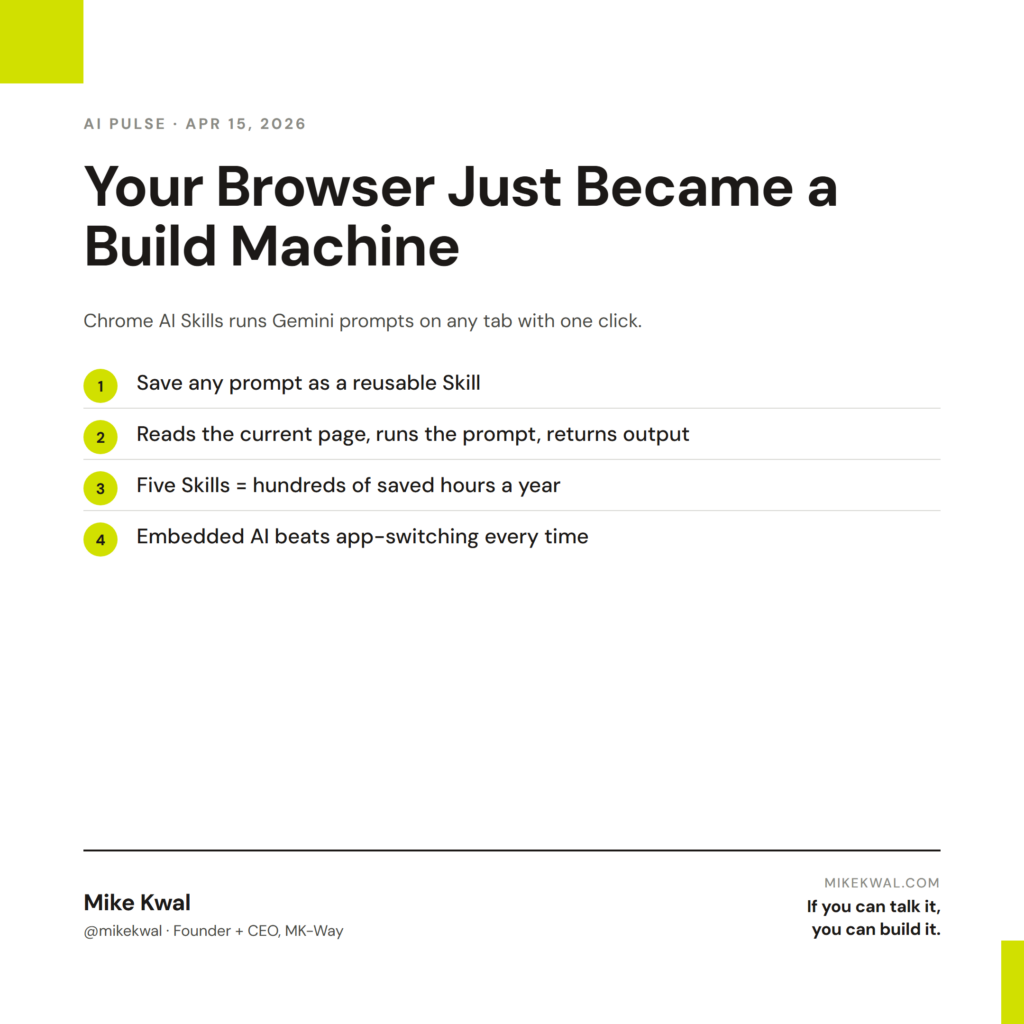
Chrome shipped AI Skills. The pitch: save any Gemini prompt as a reusable “skill,” then run it on any tab with one click. The skill reads the current page and executes the prompt.
Examples:
– “Summarize this article into 5 bullet points.”
– “Rewrite this copy in the voice of [my brand].”
– “Extract every email address from this page.”
– “Translate the visible text to Spanish.”
It’s free. It works on any Chrome tab. The savings show up most clearly on tasks you do a hundred times a year that you’ve never bothered to systematize.
Why this matters for designers
Most designer workflows live in the browser. Client research, competitor analysis, Webflow editing, Shopify dashboard work, Figma in-browser — all of it. Up until now, AI was a separate tab. You’d copy from your work tab, paste into ChatGPT or Claude, get the output, copy back.
That tax — 30 seconds, 10 times a day, every day — adds up. AI Skills removes the tax.
For designers running client research, this is the biggest single workflow upgrade since save-to-Notion buttons. You browse a competitor’s site, click the “Extract value props” skill, get a clean list. You’re at a client’s existing site, click “AEO audit,” get a 5-point report. You’re reading an industry article, click “Summarize for my Friday digest,” it goes to a saved doc.
For agency owners, the lift is in consistency. When every team member runs the same five AI Skills, your output looks consistent across team members. That’s a brand consistency win you couldn’t easily get before.
My $0.02 — How I’d actually use this
Here are the five AI Skills I’d save in Chrome this weekend.
Skill 1: Competitor value-prop extraction. Prompt: “Extract this site’s hero headline, primary value proposition, three key benefits, and main CTA. Format as a clean bullet list.” I run this on every prospect’s site before a sales call.
Skill 2: AEO quick scan. Prompt: “Audit this page for AEO. Check: is there schema markup? Is the H2/H3 structure question-answer? Is there an FAQ block? Is the page dated? List 3 wins and 3 misses.” I run this on every client’s existing site during discovery.
Skill 3: Brand voice rewrite. Prompt: “Rewrite the highlighted text in [my brand voice — direct, designer-focused, plain English]. Keep the structure. Trim filler. Use ‘I’ not ‘we’.” I run this when I’m pulling a quote or a paragraph from a draft and need to make it sound like me.
Skill 4: Image alt text generator. Prompt: “For every image on this page, generate accessible alt text. Format as a numbered list matching the image order on the page.” I run this on client sites that I’m doing accessibility work on.
Skill 5: Tweet-to-LinkedIn rewrite. Prompt: “Take this Twitter post and rewrite it as a 3-paragraph LinkedIn post. Keep the core insight. Add context for a B2B agency-owner audience.” I run this on AI news I want to repost.
That’s a Saturday morning of setup, then those five skills run hundreds of times a year. Compounding leverage on the tasks you didn’t realize were taking up your day.
What I’d skip: don’t make AI Skills for one-off tasks. The leverage is in repetition. If I run a prompt fewer than 5 times a month, I just paste it into Gemini directly — no need to save it.
The bigger lesson for designers: AI works best when it’s embedded in the browser tab where the work already lives, not a separate app you have to remember to open. That principle applies to every tool you pick going forward.
Want the full playbook?
For the full AI tool stack I run my studio on — including the browser layer and what I pair it with — see my Talk-to-Build Stack.
FAQ
Is AI Skills free?
Yes — bundled with Chrome. You need to be logged into a Google account; some Skills features require a Workspace plan.
Does it work on all Chrome devices?
Desktop Chrome on Mac, Windows, and Linux is the priority surface. Mobile Chrome is rolling out.
Can it modify the page?
It reads the page and writes outputs in a side panel. It does not edit the page itself (yet).
Does this share my browsing data?
The page content gets sent to Gemini. Standard Workspace data privacy applies. For NDA-sensitive work, double-check what tabs you have open before clicking a skill.
Will Safari and Firefox get this?
Apple has its own version (Apple Intelligence in Safari). Firefox is partnering with multiple AI providers. Different shapes, same direction.
Want help applying this?
Four ways to go deeper:
- Build with Builders. Join the Talk-to-Build community to Learn how to Earn money with AI, Download our AI Skills, Advance your business, Learn to build real assets for Website Design & Shopify stores — Gen-AI images, cinematic AI videos, conversational AI office secretaries — that you can sell to SMBs that want the outcomes but don’t have time to learn the skills.
- Done-for-you. MK-Way builds AEO-ready websites and apps for design agencies and founders who want it shipped fast.
- Quick question. DM me on Instagram. I read every message.
- B2B / strategy. Connect on LinkedIn for deeper conversations about AI in design and agency work.
Last updated: May 7, 2026.