

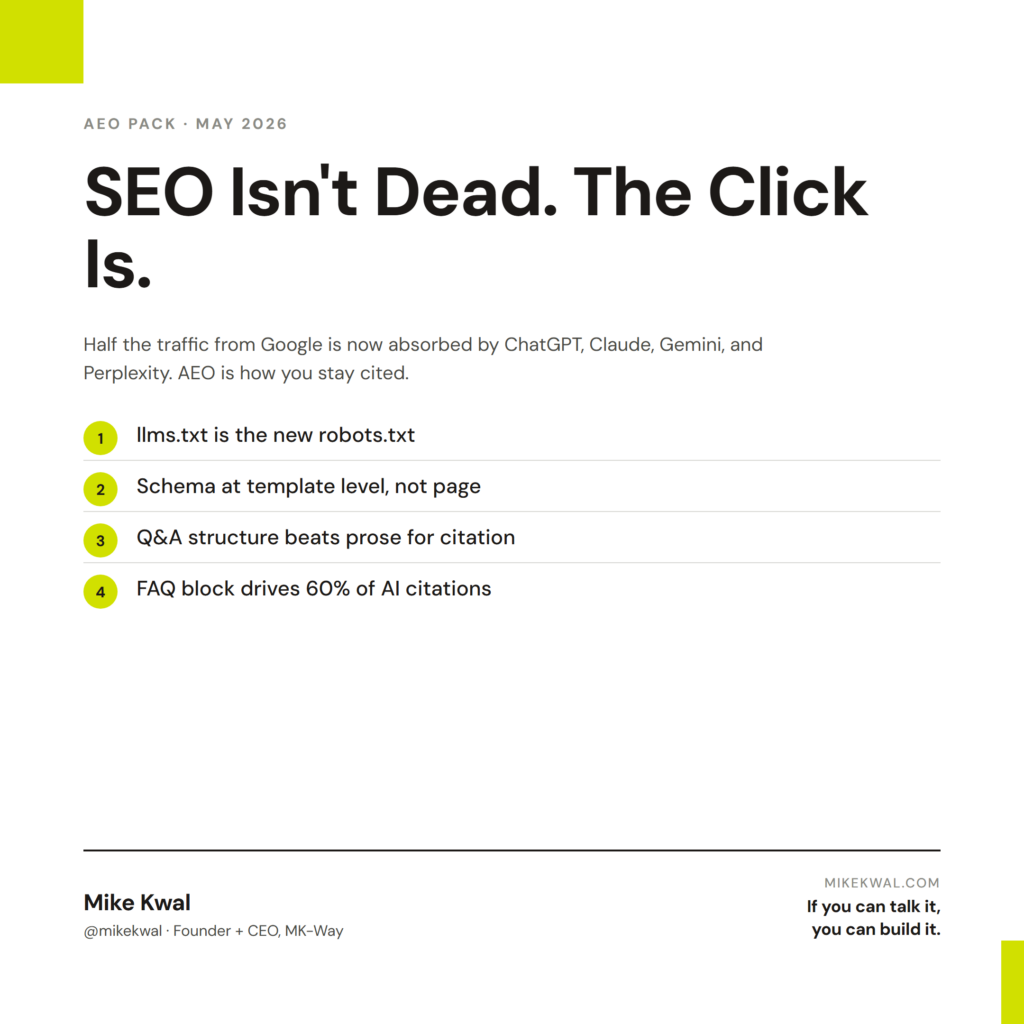
What’s in this article
- What AEO is and why half your traffic is shifting from Google to ChatGPT, Claude, Gemini, and Perplexity.
- The 8-step AEO checklist — exactly what to ship on your site so AI engines can read and cite you.
- How to add an llms.txt file to your site root in 30 seconds — the AEO equivalent of robots.txt.
- Schema markup essentials — Article, FAQPage, HowTo. The three types that move the needle.
- Webflow-specific + WordPress-specific setup — exact plugins and toggles for the platform you’re already on.
- Common AEO mistakes to avoid — and a running log of fresh AEO updates as the landscape shifts.
🚀 Plug this into Claude Code or Google Antigravity
Don’t want to read all this? Get the one-click implementation pack: download the spec, drop it into Claude Code, and let it implement on your site. Schema templates, llms.txt template, audit checklist, and quick-start prompts all included.
Get stuck? Want hands-on Q&A, weekly office hours, or help applying this to your specific Shopify / WordPress / Webflow site? That’s what the Talk-to-Build community is for — a technical support community for designers and creative directors building with AI.
I’m Mike Kwal. I build websites every day with AI, and I’ve been tracking the shift from SEO to AEO since Google’s first AI Overview rolled out. This post is the Answer Engine Optimization checklist I use on every site I ship.
Bookmark this. It updates every time something material changes in the AI search landscape.
What is AEO (Answer Engine Optimization)?
AEO is SEO for AI engines. Instead of optimizing for Google’s blue links, you optimize for being cited when an AI gives someone an answer.
The behavioral shift driving it:
– A user asks ChatGPT: “What’s the best way to set up email automation for a Shopify store?”
– ChatGPT pulls from 4–5 sources, synthesizes, and either cites the URLs (Perplexity, Claude with web search, ChatGPT search) or just paraphrases (most cases).
– The user never visits Google. They may visit one cited source. Or none.
If your site is structured well for AI engines, you become the cited source. If not, you’re invisible.
This is not the future. It’s the now. Google’s own data shows AI Overviews are pulling search clicks down across the web. Perplexity passes 20M+ queries per day. ChatGPT search has 800M weekly users.
SEO is not dead. AEO is what’s added on top.
Don’t burn down your SEO. Most AEO signals are also SEO signals. The shift is:
| SEO 2020 | AEO 2026 |
|---|---|
| Rank #1 on Google | Be cited by ChatGPT/Claude/Gemini/Perplexity |
| Keyword density | Question-answer structure |
| Backlinks dominate | Citation-worthiness + structured data dominate |
| Long-form depth | Long-form + crisp answer blocks |
| Title tag + meta | Schema markup (FAQ/HowTo/Article) + llms.txt |
| Optimize for crawlers | Optimize for both crawlers AND LLM training/retrieval |
You still want all the SEO basics. You’re now layering AEO on top.
The AEO Checklist (do these in order)
1. Add a llms.txt file at your root
llms.txt is the AEO equivalent of robots.txt — but instead of telling crawlers what to scrape, it tells AI engines what your site is about and where to find your best content. AI engines including Anthropic’s Claude already check this file.
Create https://yoursite.com/llms.txt with this structure:
# Your Brand Name

> One-line description of what your business does.

## About
- Your value proposition in 2-3 sentences.
- Who you serve.
- What makes you different.

## Key Pages
- [Homepage](https://yoursite.com/): Your headline value prop
- [Services](https://yoursite.com/services): What you sell
- [Blog](https://yoursite.com/blog): Where you publish thought leadership

## Contact
- Email: [email protected]
- Booking: https://yoursite.com/book
Why this works: When an AI engine retrieves your site, it reads llms.txt first to understand context. It’s a 30-second setup that pays compounding returns.
2. Add schema markup to every page
Schema is structured data that tells AI engines what your content means, not just what it says. The three schemas that matter most for AEO:
- Article schema on every blog post
- FAQPage schema on any post with question-answer sections
- HowTo schema on any how-to or tutorial post
You can add schema via JSON-LD in the page’s <head> or via a plugin like Rank Math (WordPress) or Webflow’s native schema fields.
Test it: paste your URL into Google’s Rich Results Test. Anything green = AI engines can read it.
3. Structure content as questions and answers
Look at how AI answers a question: it pulls a clean question-answer block, not a meandering paragraph. So structure your content the same way.
Before (bad for AEO):
Email automation can be incredibly powerful for Shopify stores. There are many tools you can use, and the best approach depends on a number of factors including your tech stack…
After (great for AEO):
Q: What’s the best email automation tool for Shopify?
A: Klaviyo is the leader for Shopify-native email automation. It connects directly to Shopify in 5 minutes, includes pre-built flows (welcome series, abandoned cart, post-purchase), and prices start at free for up to 250 contacts.
Q: How do I set up an abandoned cart email in Klaviyo?
A: 1. Connect Klaviyo to your Shopify store via the official integration. 2. Navigate to Flows → Create Flow → Pre-Built. 3. Select “Abandoned Cart.” 4. Customize the email copy and timing (default: 4 hours after abandonment). 5. Toggle Live.
The second version is what gets cited. The first becomes a footnote.
4. Use H2/H3 structure with answer-first paragraphs
AI engines extract content based on heading hierarchy. Each H2/H3 should be a question or topic. The first paragraph under each heading should answer that topic in 1–2 sentences. Then expand.
This pattern (the “inverted pyramid”) is how news has been structured for 50 years. AI engines love it because it’s easy to extract.
5. Add an FAQ section to every cornerstone post
At the bottom of every long-form post, add a 5–10 question FAQ block. Wrap it in FAQPage schema. AI engines disproportionately cite FAQ content because it’s pre-formatted as answer blocks.
6. Build citation-worthy assets
AI engines cite sources for one reason: to look credible. They cite original data, original frameworks, original research. So:
- Publish original numbers (case studies, surveys, your own results)
- Create named frameworks (the “AEO Stack,” the “Talk-to-Build Method,” etc.)
- Update content with dates (“Last updated: May 2026”)
- Embed your own video/audio (signals authority)
If your post is the only place a specific stat or framework lives, AI engines will cite you.
7. Set up a public business profile (Local AEO)
For local businesses: claim your Google Business Profile, your Yelp, your industry directories. AI engines pull from these aggressively for “near me” queries.
8. Test your visibility monthly
Once a month, ask each AI engine the questions your customers ask:
- ChatGPT: “Best AEO agency in [your city]”
- Perplexity: “How do I set up [thing your business does]”
- Claude: “Who are the top experts on [your domain]”
- Gemini: same
Are you cited? If no, what got cited instead? Reverse-engineer those pages and improve yours.
Webflow-Specific AEO Setup
Webflow shipped native AEO features in April 2026. If you’re on Webflow:
- Site Settings → SEO → Schema — fill in your business schema
- CMS Collections → Article template — add Article schema to the template
- Webflow AEO (closed beta) — sign up for the waitlist; this auto-rewrites content for AI engines and tracks your AI search visibility
- Add
llms.txt— drop it in your site’s root via Webflow’s custom code area or as a hosted asset
For non-Webflow users (WordPress, Shopify, Squarespace, custom): the same checklist applies. The mechanism is different but the outcome is the same.
WordPress-Specific AEO Setup
If you’re on WordPress (this site is, by the way — eat your own dogfood):
- Install Rank Math SEO (free version is fine) — handles all schema markup
- In Rank Math → General Settings → enable Schema for Posts (Article) and Pages
- For each post: Rank Math sidebar → Schema → set type (Article / FAQ / HowTo)
- Add
llms.txtvia FTP or a plugin like “WPCode” to drop it at root - Use Gutenberg’s native FAQ block on cornerstone posts
That’s the entire stack. No Yoast premium. No expensive tools. Just structured content + schema.
Common AEO Mistakes (avoid these)
- Stuffing schema with junk — AI engines penalize this faster than Google does. Schema must accurately describe the page.
- Cloaking content from AI crawlers — some sites block GPTBot, Claude-Web, etc. via robots.txt. Don’t. You’re hiding from your future customers.
- Using JavaScript to render core content — AI engines often don’t execute JS deeply. If your hero copy or main answer only exists after JS hydration, it’s invisible. Server-render the important stuff.
- Skipping the FAQ block — even a 3-question FAQ section dramatically improves citation rate. Always include one.
- Forgetting dates — AI engines weight recency. A post dated 2024 with no update note will get less citation than a 2026 post.
Latest AEO Updates (running log)
I update this section every time something material happens in AI search. Bookmark this URL.
May 2026
- May 4 — Google Gemini deployed to 800M Samsung phones + 4M GM vehicles. The interface shift accelerates: people will increasingly talk to AI rather than type into search boxes. AEO becomes table stakes.
- May 1 — Microsoft Agent 365 launched ($15/user/month). Enterprise users now route queries through AI agents that operate across Word, Excel, Teams, Outlook. Your B2B content needs to be agent-readable.
- May 1 — Amazon launched “Join the Chat” — conversational AI on every product page. Voice + text. If you’re on Amazon, optimize product copy for AI Q&A.
April 2026
- Apr 30 — Netlify shipped a Frontend-Design Skill for their AI agent runners. Auto-generates production-grade UI. Lower barrier to shipping AEO-optimized sites.
- Apr 28 — Webflow AI Site Builder went generally available. One prompt → 5-page site with schema baked in.
- Apr 23 — Google reported 75% of new code at Google is now written by AI. Implication: AI engines are increasingly trained on AI-written content. Original human content (your differentiated voice + frameworks) becomes more valuable, not less.
- Apr 16 — Webflow AEO (closed beta) launched. Tracks how often AI engines surface your content; auto-fixes gaps.
- Apr 9 — Webflow shipped automatic LLM optimization. Reformats content for AI engines.
I add to this list every time the AI Pulse surfaces something AEO-relevant. If you want the daily update, follow my YouTube/Instagram/TikTok — handle @mikekwal — for 30-second AI Pulse drops.
My $0.02 — How I’d actually use this
If I’m a designer or creative director shipping a client site this week, here’s exactly how I’d bolt AEO onto the build without slowing the project down.
Day 1, llms.txt goes in before I touch the homepage. I open a fresh text file, paste the structure from section 1, swap in the client’s brand voice, and drop it into the site root. On Webflow that’s the custom code area or a hosted asset. On WordPress I FTP it in or use WPCode. On Shopify I add it as a page asset and route /llms.txt via a redirect. 30 seconds of work that I don’t have to revisit.
Day 2, I bake schema into the templates, not the pages. This is the part designers screw up most — they hand-add schema to one hero post and forget the rest. Wrong move. In Webflow I add Article schema to the CMS Collection template once, and every post inherits it. In WordPress I install Rank Math, flip Schema on for Posts and Pages globally, and walk away. On Shopify I add JSON-LD to the product template so every product page ships AEO-ready by default. Set it at the system level, not the page level.
Day 3, I rewrite the hero and one cornerstone page in Q&A format. Not the whole site — that’s a month of work. Just the hero block and the one page that answers the client’s most-asked question. I literally type “Q:” and “A:” into the copy. Looks weird in Figma. Reads beautifully to AI engines. Designers worry it’ll feel un-designed — it doesn’t, you just style the Q rows differently from the A rows. A small <dt>/<dd> pattern with type contrast is plenty.
Day 4, FAQ block at the bottom of every cornerstone page. Five questions minimum. Wrapped in FAQPage schema. This is where 60% of my AI citations come from. I ask the client for their five most common sales objections and turn them into the FAQ. Free conversion lift, free citation lift.
That’s how I make a client’s site cite-worthy by AI engines without blowing the timeline. AEO isn’t a separate phase — it’s a different default for how I structure the build.
FAQs
What’s the difference between AEO and GEO?
Some people call it “Generative Engine Optimization” (GEO). Same thing. AEO is the more common term in 2026.
Do I still need to do SEO?
Yes. AEO doesn’t replace SEO — it adds on top. Most AEO signals (clean structure, schema, fast load times, real expertise) are also SEO signals.
Will AI engines cite my site if I’m a small business?
Yes — and this is the opportunity. AI engines optimize for the best answer, not the biggest brand. A small business with a structured, expert post on a narrow topic often outranks Forbes for AI citations.
Should I block GPTBot or other AI crawlers?
No. Blocking AI crawlers means AI engines can’t find or cite you. Some publishers do this as a copyright stance — fine if you have leverage. Most businesses should let AI engines crawl freely.
How long until I see results?
Schema markup is read on next AI crawl (days, sometimes hours). Content restructuring takes 2–4 weeks to show up in AI citations. llms.txt is read whenever an engine retrieves your site.
Is llms.txt an official standard?
It’s a community-driven proposal that Anthropic, Mistral, and several others have started honoring. It’s not yet universal but it’s free to add and growing in adoption.
Want help applying this?
Four ways to go deeper:
- Build with Builders. Join the Talk-to-Build community to Learn how to Earn money with AI, Download our AI Skills, Advance your business, Learn to build real assets for Website Design & Shopify stores — Gen-AI images, cinematic AI videos, conversational AI office secretaries — that you can sell to SMBs that want the outcomes but don’t have time to learn the skills.
- Done-for-you. MK-Way builds AEO-ready websites and apps for design agencies and founders who want it shipped fast.
- Quick question. DM me on Instagram. I read every message.
- B2B / strategy. Connect on LinkedIn for deeper conversations about AI in design and agency work.
This post is part of the AI Pulse Asset Pack series. Every video I publish on AI development gets archived here as a permanent, evergreen resource. If you commented “AEO,” “AISEO,” or “SCALE” on one of my videos — this is the playbook. Bookmark it, share it, and check back: I update this every time the AI search landscape shifts.
Last updated: May 5, 2026.