

What’s in this article
- What Routines is — Claude Code tasks that run on a schedule or trigger.
- Why this turns Claude from a tool into a teammate.
- The 5 routines I’d build first for a design agency.
- What “no Mac needed” means — Claude runs in the cloud now.
- How I’d actually use this on my own studio operations.
I’m Mike Kwal. I run a one-person studio that operates like a five-person studio, and most of the leverage comes from automating the boring parts. Routines is the launch I’ve been waiting for.
What just happened
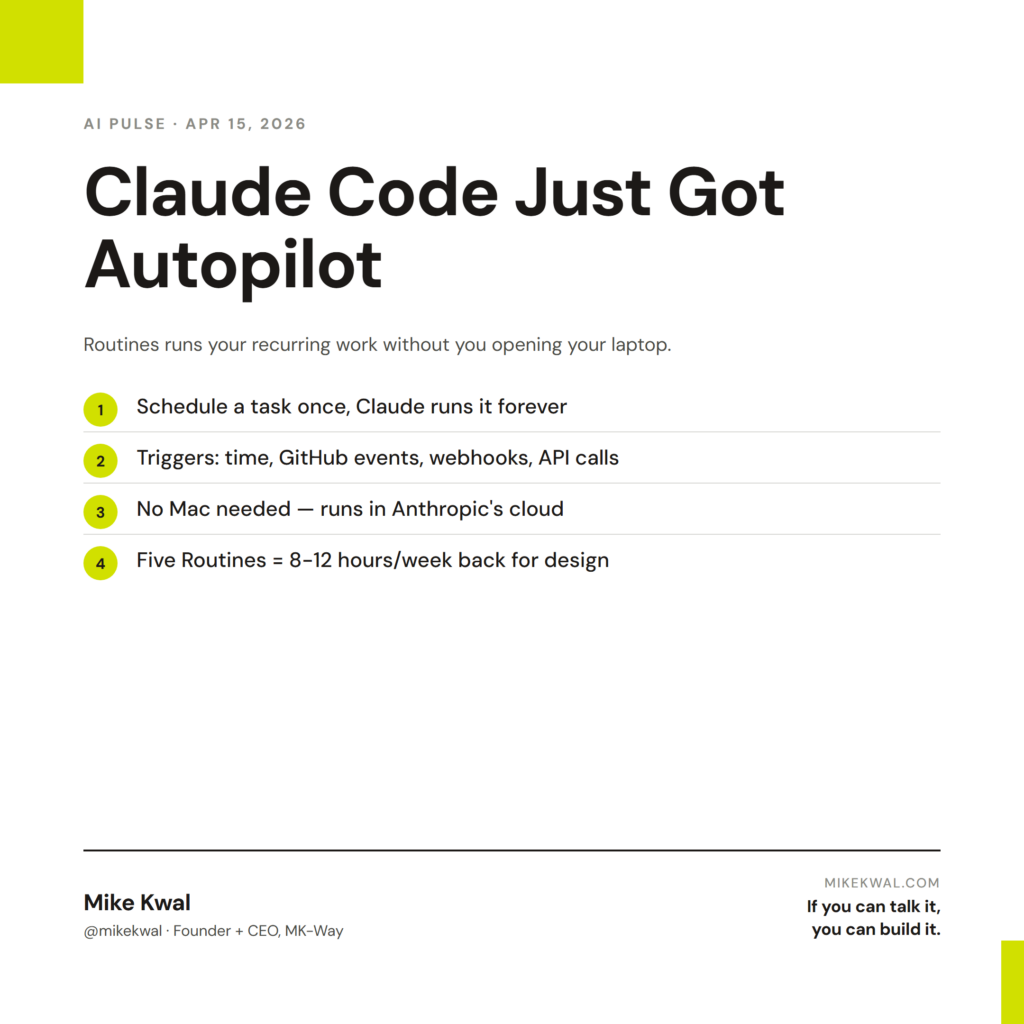
Anthropic dropped Routines for Claude Code. The pitch: write a task once, pick a schedule or a trigger, and Claude runs it without you opening your laptop. Triggers can be a set time (every Friday at 4 PM), an API event (when GitHub gets a new pull request), or a webhook (when Slack gets a specific message).
The big shift: no Mac needed. Routines run in Anthropic’s cloud, not on your machine. Your laptop can be closed. Your task still runs.
This is what turns Claude from “a tool I open to do work” into “a teammate that handles my recurring work.”
Why this matters for designers
Most designers and agency owners do the same handful of tasks every week — and almost none of them are creative work. The weekly Friday client update. The monthly invoice batch. The blog repurposing into LinkedIn posts. The competitor monitoring report. The Monday status meeting prep.
Each one alone takes 15–60 minutes. Across a year, that’s hundreds of hours you didn’t bill for.
Routines lets you write each of those workflows once and have Claude run it forever. The boring tasks vanish into the background. You spend the saved time on the work clients pay you for: design.
For a one-person studio, this is a productivity multiplier. For a five-person agency, it’s the way you stop hiring an ops person.
My $0.02 — How I’d actually use this
The five routines I’d build for my studio this weekend:
Routine 1: Friday client status emails. Trigger: every Friday 3 PM. Action: read the active project boards in Monday.com, write a one-paragraph update for each client, queue them as Gmail drafts. I review and send. The retention lift on weekly client touch-points is real.
Routine 2: Daily AI Pulse digest. Trigger: every morning 7 AM. Action: scan my Tier 1 sources (Webflow, Anthropic, OpenAI, Google blogs), summarize the top 3 stories that affect website-building, drop them in a Notion doc. I read it with my matcha.
Routine 3: New-lead onboarding email. Trigger: a new GHL form submission. Action: pull the lead’s website, run a 5-point AEO scan, draft a personalized response with the scan findings, queue as a Gmail draft. I review and send within an hour of the lead landing. Speed-to-lead is a known close-rate lever.
Routine 4: Blog post repurposing. Trigger: a new blog post pushed to my site. Action: write a LinkedIn version, an Instagram caption (Saraev-style), and a 60-second video script. Drop them in Monday. I publish what I like.
Routine 5: Monthly invoice prep. Trigger: the 1st of every month, 9 AM. Action: pull active retainer clients, generate invoice line items, draft them in QuickBooks (or your billing tool’s API). I review and send on the 1st instead of remembering on the 5th.
Total setup time for all five: a Saturday morning. Time saved per week: 8–12 hours. That’s a Saturday morning of work that returns 50 weekends a year.
What I’d watch out for: don’t automate trust-critical work without a human in the loop. Every routine above queues to drafts, not direct sends. Your client should never receive an email that didn’t pass your eye. The point isn’t to remove yourself — it’s to remove the boring 80% so your eye can focus on the important 20%.
Want the full playbook?
For the full automation + AI build stack I run my studio on, see my Talk-to-Build Stack.
FAQ
Is Routines free with Claude Pro?
It’s bundled with paid Claude plans, with usage caps based on your tier. Heavy automation users will hit the cap on Pro and want Team or Max.
What languages can routines be written in?
Claude Code understands plain English. Under the hood it generates JavaScript, Python, or shell scripts. You don’t need to know any of those — but reviewing the code Claude writes is a good habit.
Can a routine call other tools?
Yes — through MCP (Model Context Protocol) connectors. Slack, Gmail, Calendar, Monday.com, GitHub, and dozens more.
What happens if a routine fails?
You get an alert in your Claude dashboard. Build alerts into your routines themselves (Claude can post failure messages to Slack).
Is this safe for production?
For ops work, yes. For business-critical workflows (payroll, payments, client-facing transactional sends), keep a human review step in. AI is good but not perfect.
Want help applying this?
Four ways to go deeper:
- Build with Builders. Join the Talk-to-Build community to Learn how to Earn money with AI, Download our AI Skills, Advance your business, Learn to build real assets for Website Design & Shopify stores — Gen-AI images, cinematic AI videos, conversational AI office secretaries — that you can sell to SMBs that want the outcomes but don’t have time to learn the skills.
- Done-for-you. MK-Way builds AEO-ready websites and apps for design agencies and founders who want it shipped fast.
- Quick question. DM me on Instagram. I read every message.
- B2B / strategy. Connect on LinkedIn for deeper conversations about AI in design and agency work.
Last updated: May 7, 2026.