

What’s in this article
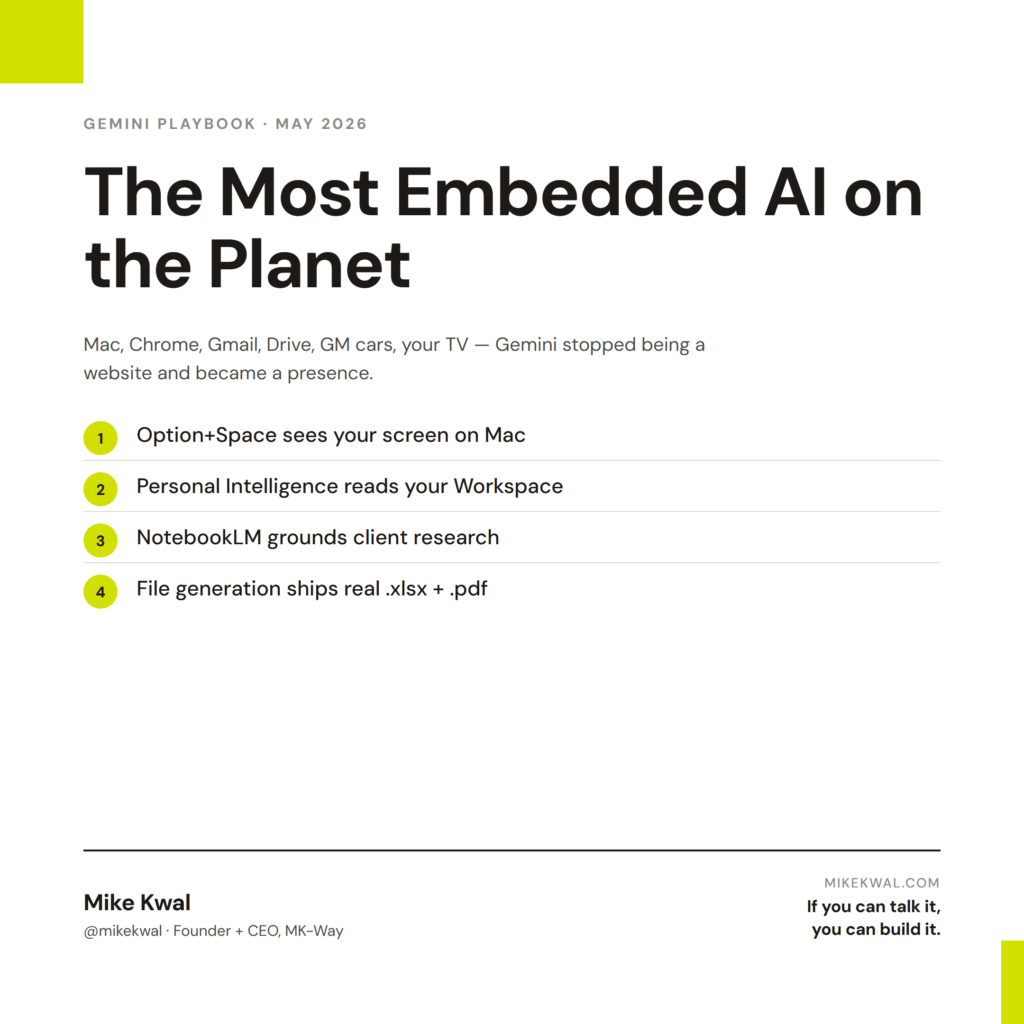
- Where Gemini lives in 2026 — your Mac, your Chrome tabs, your Gmail, your Drive, your car, your TV. It’s not “a website” anymore.
- The Mac app + Option+Space — the keyboard shortcut that turns Gemini into a system-wide assistant that can see your screen.
- Gemini in Chrome — talk to your browser, summarize tabs, fill forms, and let Gemini click around for you.
- Personal Intelligence — Gemini reads your Mail, Calendar, and Drive (with permission) and answers questions across all of them at once.
- NotebookLM, Canvas, file generation, and COSMO — the 2026 features that turn Gemini into a real work tool, not just a chat box.
- How I use Gemini next to Claude — when each one wins, and the simple rule I follow every day.
🚀 Plug this into Claude Code or Google Antigravity
Don’t want to read all this? Get the one-click implementation pack: download the spec, drop it into Claude Code, and let it implement on your site. Mac app + Option+Space setup, Chrome integration, Personal Intelligence (Gmail/Calendar/Drive), NotebookLM client-research recipe, Canvas pitch-deck template, file-generation prompts (Excel/PDF/Word), and Nano Banana hero-concept prompts all included.
Get stuck? Want hands-on Q&A, weekly office hours, or help applying this to your specific Shopify / WordPress / Webflow site? That’s what the Talk-to-Build community is for — a technical support community for designers and creative directors building with AI.
I’m Mike Kwal. I build websites and apps every day with AI, and I run my work life across two main models — Claude and Gemini. This post is the Gemini half. The playbook I use to get the most out of Google’s AI in 2026, written for builders who actually ship.
If you’ve been ignoring Gemini because you “already use Claude,” read this. Google quietly turned Gemini into the most embedded AI on the planet over the last six weeks. There are jobs only Gemini can do.
What Gemini is in 2026
Gemini is no longer just a website. In 2026 it lives inside the things you already use:
- A native Mac app with a system-wide keyboard shortcut.
- A built-in Chrome browser assistant you can talk to.
- A Personal Intelligence layer over Gmail, Calendar, and Google Drive.
- NotebookLM merged in, so any Gemini chat can become a research notebook.
- Gemini Canvas for writing and editing slides and docs side-by-side with the AI.
- File generation that spits out real Excel sheets, PDFs, and Word docs from a chat.
- Gemini in cars — full GM rollout to Chevy, GMC, Buick, and Cadillac vehicles (GM Newsroom, May 2026).
- Gemini on TV — built into Google TV and select Samsung sets.
- Drops — Google’s monthly update pattern that ships new features to everyone at once.
The shift is simple. Type a prompt into a website? That’s 2023. Talk to your Mac, your tabs, your dashboard, and your living room? That’s now.
The Mac app: Option+Space changes everything
In April 2026, Google shipped the Gemini Mac app (9to5Google). Free. Works with any Google account. Press Option+Space anywhere on your Mac and Gemini pops up like Spotlight.
That tiny shortcut is the whole game. Three reasons:
- You don’t switch tabs. You’re in Figma, in your code editor, in a PDF — Option+Space, ask, get the answer, keep working.
- It can see your screen. Click “Share screen” and Gemini watches what you do in real time. Stuck on a Webflow setting? Share screen, ask “what does this do?” Gemini reads the page like a person would.
- Voice works. Hit the mic and talk. Hands-free is faster than any prompt I’ve ever typed.
The screen-share is the killer feature. Claude can read images you paste in. Gemini can watch you work.
If you only install one Gemini surface this year, install the Mac app. Option+Space is worth the download by itself.
Gemini in Chrome: talk to your browser
In April 2026, Google rolled Gemini directly into Chrome (blog.google). It’s not a separate extension. It’s a button in the toolbar that turns your browser into an AI you can talk to.
What it actually does for me:
- Summarize any page — long article, boring privacy policy, dense documentation. One click.
- Compare tabs — open three competitor pricing pages, ask “which is cheapest for a 5-person team?” Gemini reads all three at once.
- Fill forms — paste in your address once, Gemini auto-fills checkout pages going forward.
- Take action — in the latest Chrome update Gemini can click on your behalf. Book a restaurant. Add an item to a cart. You watch it work.
This is what people mean when they say “agentic browsing” or “browser agents.” It’s here. It’s free if you’re on Chrome. And it’s currently the easiest way to feel what an AI agent does without writing any code.
The privacy story matters. Gemini in Chrome only reads pages you’re actively looking at. It doesn’t scrape your tabs in the background. You can turn it off per-site.
Personal Intelligence: Gemini reads your Mail, Calendar, and Drive
This is the one most people sleep on. With one toggle, Gemini gets read access to your Gmail, Google Calendar, and Google Drive (blog.google).
Then you can ask things like:
- “What did Sarah email me about the proposal last week?”
- “What’s on my calendar tomorrow that I should prep for?”
- “Find the contract draft I shared with Mike in March.”
- “Summarize every email from this client this quarter.”
Gemini answers in seconds, with citations. It’s the closest thing to a real personal assistant I’ve ever used.
If you live in Google Workspace — and most builders do — this is the single biggest reason to put Gemini in your daily stack. Claude doesn’t have this. ChatGPT has a partial version. Gemini owns this lane because Google owns the data.
A note on safety. Gemini doesn’t train on your personal data, and you can revoke access in one click. If you already trust Google with Gmail, this is a small extra step, not a brand-new risk.
NotebookLM is built into Gemini now
NotebookLM was a separate Google product. You’d upload a stack of PDFs and it would build a custom AI that only knew about those documents. Researchers loved it.
In April 2026, Google merged NotebookLM into Gemini (9to5Google). Now any Gemini conversation can become a notebook. Drop in PDFs, links, YouTube videos, Drive files. Gemini reads them all and answers only from those sources.
Why this matters for builders:
- Onboard a client faster. Drop their brand guide, their last website screenshots, three of their competitor sites, and their last quarterly report. Now you have a focused AI that knows their world.
- Ship better proposals. Feed it the prospect’s site + their last three press releases. Ask “what should I lead with in this proposal?” The answer is grounded in their actual stuff.
- Build a research base. Every video you watch, every doc you read, drop it into a notebook. Future-you searches the notebook instead of Googling all over again.
The killer feature carried over: Audio Overviews. NotebookLM turns your sources into a two-host podcast. I use this on long flights — feed it a stack of articles, listen on the plane, land smarter.
Gemini Canvas: side-by-side decks and docs
Gemini Canvas is the writing-and-slides surface inside Gemini. Think of it like a workspace that opens next to the chat.
For docs:
- Type a prompt: “draft a 3-page brief on AEO for a real estate client.”
- Canvas opens with the draft.
- You edit it directly. Gemini watches what you change and adjusts the rest of the doc to match.
- Export to Google Docs in one click.
For slides:
- “Build me a 6-slide deck pitching a website refresh, with a hero, a problem slide, a solution slide, three case studies, and a price slide.”
- Canvas drafts the deck. You drag, edit, swap. Gemini regenerates sections you don’t like.
- Export to Google Slides.
In May 2026, Google added 3D model generation to Canvas. Type “show me a 3D model of a sneaker” and you get a rotatable 3D object you can drop into a slide (blog.google). Niche today. Useful for product designers and pitch decks.
File generation: real Excel, PDF, and Word from a chat
This one is quietly the most useful 2026 update. Gemini can now generate real files from a chat — not just text you copy-paste.
- “Build me a content calendar in Excel for May with 30 video ideas, dates, hooks, and hashtags.” → Gemini creates an
.xlsxfile you download. - “Turn this proposal text into a designed PDF with my logo at the top.” → Gemini exports a real
.pdf. - “Write the contract draft as a Word doc I can edit.” → Gemini delivers a
.docx.
The first time it worked I genuinely laughed. I’d been copy-pasting AI output into Google Sheets for two years.
The catch: file generation is a Pro feature. If you’re on free Gemini you get text answers. Pro is $20/month — same price as Claude Pro and ChatGPT Plus.
Gemini in cars: the GM rollout
In May 2026, General Motors announced Gemini integration across Chevy, GMC, Buick, and Cadillac vehicles (GM Newsroom). The rollout reaches around 4 million GM cars over the next year.
What it does in the car:
- Voice answers without the dumb robot tone older car assistants had.
- Reads incoming texts and writes replies.
- Plans your route and finds the cheapest gas or the closest charger.
- Answers any question you’d normally ask your phone — without picking up your phone.
Why I’m noting it in a builder’s playbook: the interface shift. Voice-first AI in 4 million cars means a generation of users who’ll expect to talk to your software, not type into it. If you’re building a website or app, voice-friendly content (clean Q&A structure, short answers, schema markup) is no longer a “nice-to-have.”
Gemini on TV: a quiet entry
Less hyped, equally telling. Gemini is rolling out to Google TV and select Samsung sets in 2026. You can ask the TV to find a movie, summarize a Netflix show, or pull up a YouTube tutorial — by voice.
The takeaway is the same as the car story. Big screens, hands-free, voice-first. Whatever you build needs to be findable when nobody’s typing.
COSMO: the proactive assistant that leaked
In late April 2026, internal documents about a Google project codenamed COSMO leaked (Android Authority, 9to5Google). COSMO is described as a proactive on-device agent that runs on your phone all day, watching what you do, and offering help before you ask.
Examples in the leaked docs:
- You’re in a long email thread. COSMO offers to summarize the chain so far.
- You’re booking a flight. COSMO suggests calendar dates that don’t clash.
- You’re texting someone about dinner. COSMO offers to make the reservation.
This is a step beyond today’s “ask Gemini and it answers.” It’s “Gemini notices and helps.”
Google hasn’t officially confirmed the launch date. But the leak fits a clear pattern: Gemini going from a tool you open to a presence that’s already there. If COSMO ships as described, expect every other phone OS to follow inside a year.
How I use Gemini next to Claude
People ask me this constantly. Here’s the honest split.
Gemini wins for:
– Anything inside Google Workspace — Mail, Calendar, Drive, Docs, Slides.
– Browser tasks — summarize a page, compare tabs, fill a form, agentic clicking.
– Voice and screen-share on the Mac (Option+Space + share screen).
– Research notebooks (NotebookLM is unmatched).
– File generation (real Excel/PDF/Word output).
– Quick fact-finding with citations.
Claude wins for:
– Writing — long-form posts, scripts, sales pages.
– Code — building websites, apps, automations end-to-end.
– Long, complex thinking sessions where I want one model to hold the whole context.
– Anything where I need a model that pushes back instead of pleasing me.
My simple rule: Gemini for the Google parts of life and fast browser work. Claude for building things. I keep Gemini as my Option+Space assistant and Claude as my main building tool. Different jobs, different strengths.
If you’ve only used one of them — try the other. The combination is the unlock.
A note on Gemini “Drops”
Google ships Gemini updates in a recurring monthly bundle they call a Drop (blog.google). Every Drop is a list of new features, expanded model access, and small upgrades.
Recent Drops have shipped: Mac app, Chrome integration, Canvas updates, file generation, NotebookLM merger, GM cars, 3D models, Personal Intelligence improvements.
If you only check Gemini once and decide “meh,” you’ll miss the next jump. The right move is to set a reminder on the first of each month — read the Drop notes, try the new thing, decide if it changes your workflow.
Pull quote
The job stopped being “type a prompt into a website.” Now it’s “talk to your Mac, your tabs, your dashboard, your car, your TV — and have it actually do the next step.” That’s the shift. Gemini is the most embedded version of it.
My $0.02 — How I actually use Gemini in design work
Gemini sits next to Claude in my daily web-design workflow. Here’s where I actually reach for it when I’m building or pitching client sites — and where it earns its keep next to Figma, Webflow, Shopify, and WordPress.
NotebookLM for client onboarding research. First thing I do on any new website project: drop the client’s existing site, their brand guide PDF, two or three of their competitors, and any Loom recordings of past calls into a notebook. Now I have a focused AI that knows their world. I ask it “what are the three things this brand actually stands for?” and “what’s missing from their current site that competitors are doing better?” before I write a single line of brief. It saves me a half-day of manual research per project.
Gemini Canvas for client pitch decks. When I’m pitching a website refresh, I let Canvas draft the deck — hero slide, problem, solution, three case studies, scope, price. I export to Google Slides, then layer in real screenshots and the Figma frames I want to show. It’s faster than starting from a blank slide template, and the structure is usually cleaner than what I’d build cold at 11pm before a pitch.
File generation for spec sheets and wireframe lists. This is the quiet 2026 unlock for designers. I’ll feed Gemini a sitemap and ask “build me an Excel sheet with every page, the section blocks needed on each, the copy hierarchy, the image count, and any third-party embeds.” Real .xlsx file, downloads in seconds. Same trick for content calendars, asset inventories, and handoff docs to whoever’s writing copy.
Gemini in Chrome for competitor research. When I’m scoping a Webflow or Shopify build, I open six competitor sites across tabs and ask Gemini in Chrome to compare them — pricing structure, hero treatments, where the testimonials sit, what their nav patterns are. One pass, structured answer. I used to do this with a notebook and a stopwatch.
Nano Banana for hero-image concepts. Before I send anything to a real designer or push it through Midjourney for final art, I’ll generate three or four rough hero concepts in Gemini’s image gen to show the client direction. It’s not finished art. It’s a sketch in pixels — enough to ground the conversation about mood, composition, and palette before anyone burns hours on the real thing.
Where I don’t use it. I don’t write production website copy in Gemini — Claude wins that lane. I don’t build the actual site in Gemini either. Gemini is the research, structure, and concept layer. The build still happens in Webflow, Shopify, WordPress, and Figma — with Claude handling the hard writing and code.
FAQ
Is Gemini free?
Yes — the base model is free with any Google account. Pro is $20 a month and unlocks bigger models, file generation, and longer context. The Mac app and Chrome integration are free.
Do I need to leave Claude or ChatGPT to use Gemini?
No. Most builders I trust run two AIs in parallel. Pick the one that owns the lane you need. Gemini for Google Workspace, browser work, and voice on Mac. Claude for writing and building.
Does Gemini in Chrome work on other browsers?
No. The deep integration is Chrome-only. There’s a Gemini extension for some non-Chrome browsers, but agentic clicking and tab-comparison are Chrome-only.
What’s a “Drop”?
Google’s monthly bundle of Gemini updates — new features, expanded model access, small upgrades. Released together once a month. Worth checking the first of every month.
Is COSMO available now?
No. COSMO is an internal Google project that leaked in April 2026. Google hasn’t confirmed a launch date. Treat it as a signal of where Gemini is going, not a feature you can use today.
What’s the best single thing to do after reading this?
Install the Gemini Mac app and learn Option+Space. That one shortcut will change how you work in a week.
Want help applying this?
Four ways to go deeper:
- Build with Builders. Join the Talk-to-Build community to Learn how to Earn money with AI, Download our AI Skills, Advance your business, Learn to build real assets for Website Design & Shopify stores — Gen-AI images, cinematic AI videos, conversational AI office secretaries — that you can sell to SMBs that want the outcomes but don’t have time to learn the skills.
- Done-for-you. MK-Way builds AEO-ready websites and apps for design agencies and founders who want it shipped fast.
- Quick question. DM me on Instagram. I read every message.
- B2B / strategy. Connect on LinkedIn for deeper conversations about AI in design and agency work.
Last updated: May 7, 2026.