

What’s in this article
- What Runway Gen-4.5 is — A top-ranked AI video model with native audio generation.
- The Brand Video Prompt — A copy-paste prompt to create a 30s product video with sound.
- How to Generate the Video — The 4-step workflow to take the prompt to a final 4K video.
- What This Changes for Agencies — How this new stack changes project budgets and timelines.
- FAQ — Your questions on cost, features, and model access answered.
🚀 Plug this into Claude Code or Claude Desktop
This spec contains the full, production-ready Runway prompt for a 30-second brand video, including scene-by-scene descriptions and synchronized native audio cues.
Want hands-on help applying this to your client’s brand? That’s what the Talk-to-Build community is for.
You can now produce a client-ready, 30-second brand video with custom audio for about twelve dollars. No separate subscriptions, no sound designer, no post-production. Just one prompt that tells the AI what to show and what you should hear.
Runway just bundled six of the world’s top AI video models—including their new Gen-4.5, Google’s Veo, and Kling—into a single subscription. They also added native audio generation. This isn’t just an update; it’s a new way to ship client work. Here is exactly how to do it.
What is Runway Gen-4.5?
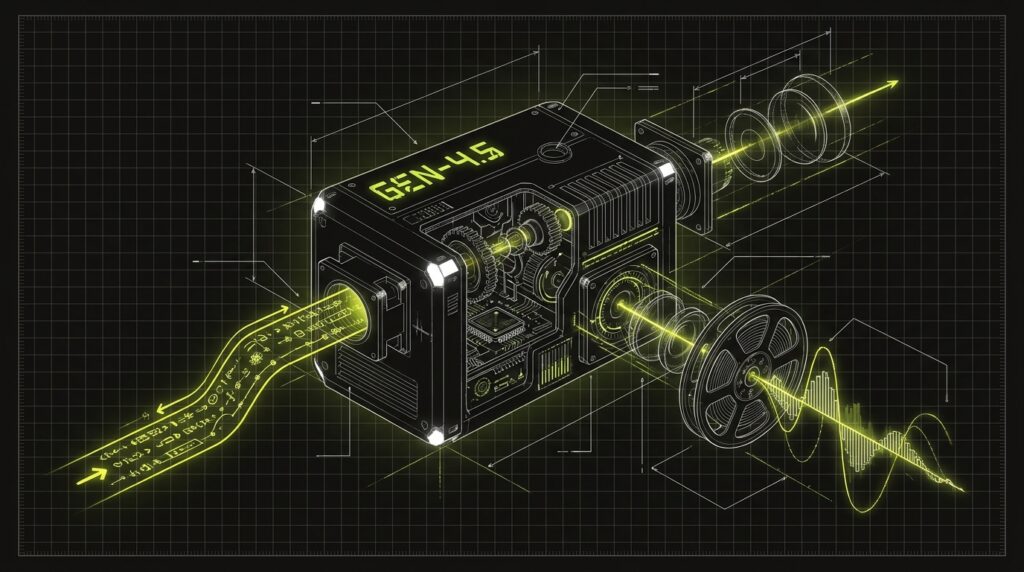
Runway Gen-4.5 is a text-to-video and image-to-video AI model developed by Runway. It generates high-fidelity, 4K video clips with native, frame-by-frame synchronized audio, including soundscapes, dialogue, and effects. As of May 2026, it topped the Video Arena competitive rankings for AI video generation quality, making it a leading tool for professional-grade output.
The 30-Second Brand Video Prompt You Can Copy Right Now
This is a complete, multi-scene prompt structure for Runway Gen-4.5 that generates a 30-second product launch video with synchronized native audio. Copy this template, replace the bracketed text with your product details, and paste it directly into Runway. The prompt uses natural language to define shots, motion, and sound for each scene.
--scene_break
[Scene 1: 5 seconds] Establishing shot. A sleek, minimalist view of [Your Product, e.g., a black wireless earbud] on a clean, light gray background. Slow, cinematic dolly-in motion. The lighting is soft and professional.
Audio: Soft, ambient electronic music starts, with a single, clear bell tone that rings as the product comes into focus.

--scene_break
[Scene 2: 8 seconds] Problem statement. Close-up shot on a visual representing a common user frustration, like tangled headphone wires. A slight, subtle camera shake to imply tension.
Audio: The ambient music gains a low, tense bass underscore. A short, sharp static sound effect plays.

--scene_break
[Scene 3: 10 seconds] Product in action. A dynamic shot showing the [Your Product] being used effortlessly, perhaps being taken out of its charging case and placed in an ear. The motion is smooth and satisfying.
Audio: The music shifts to an upbeat, optimistic tone. The tense underscore is replaced by a warm synth pad. A satisfying magnetic click sound effect is heard.

--scene_break
[Scene 4: 7 seconds] Call to action. The product logo and website URL [e.g., yoursite.com] appear in clean, white text on a solid brand-color background. The product is shown one last time, perfectly presented.
Audio: The music resolves into a confident, final chord. It fades out cleanly, leaving silence for the last second.
This structure tells Runway’s Agent exactly how to build the storyboard. The `Audio:` lines are key—they instruct the model to generate and sync sound effects and music directly with the visuals, which is what eliminates the need for post-production.
+--------------------------------------------------------------------+
| [Your Multi-Scene Prompt] --> [Runway Gen-4.5 Engine] --> [4K Video] |
| (Text with audio cues)      (Processes visuals & sound)   (+ Synced Audio) |
+--------------------------------------------------------------------+
Here’s exactly how I’d do this
To generate a brand video, you’ll use the multi-scene prompt template directly within the Runway interface. The process involves pasting the structured text, allowing the Runway Agent to interpret it into a storyboard, and then generating the final video with audio included. This workflow bypasses the need for manual editing or separate audio tools.
- Log into Runway. Navigate to the video generation tools and select the Gen-4.5 model from the available options.
- Paste the full prompt. Take the template from the asset block above, fill in your product details, and paste the entire multi-scene text into the prompt box.
- Let Runway Agent build the storyboard. The Agent will read the `–scene_break` commands and your descriptions to create a scene-by-scene plan. You can review and adjust this before generating.
- Generate and download. Click to generate the video. When I ran this for the first time, the process took a few minutes and produced a 4K video file with the audio fully mixed and synchronized, ready for client review.
What this changes for designer-run agency work
Runway’s new bundled offering fundamentally changes the economics and workflow for producing client brand videos. It collapses the cost of tools, eliminates the need for specialized audio post-production, and drastically shortens the timeline from concept to final delivery. This allows agencies to offer competitive video services without a large production budget.
| Dimension | Old Way (Pre-2026) | New Way (Runway Gen-4.5) |
|---|---|---|
| Tooling Cost | Multiple subscriptions ($50-$200/mo) for different video/audio tools. | One $12/mo subscription for 6 top video models + audio. |
| Workflow | Generate video, find stock audio, sync in Premiere/Final Cut. | Write one prompt; video and synchronized audio are generated together. |
| Budgeting | Separate line items for video generation, sound design, and editing. | A single, small line item for AI generation credits. |
| Turnaround | Days or weeks, coordinating with multiple specialists. | Minutes or hours, managed by a single designer. |
This shift means a designer can now single-handedly produce what used to require a small team. For agencies, this is a massive leverage point, turning video production from a high-overhead service into a high-margin, scalable offer. It’s a key part of the evolving industry intel for AI-native agencies.
My $0.02 — How I’d roll this out
I would integrate this new Runway stack into my agency’s services over three days, focusing first on validation, then on workflow, and finally on client-facing offers. This approach minimizes risk by proving the capability internally before selling it as a new, high-margin service. The goal is to turn a tool update into a billable asset.
Day 1 — Internal R&D. I’d take the prompt template and generate three different 30-second videos for a fictional brand. The goal is to understand the model’s limits and strengths. How well does it handle brand colors? How consistent are the characters? This is about building real experience before making promises.
Day 2 — Build a Spec Reel. I’d create a 90-second sizzle reel of the best shots generated on Day 1. This becomes the internal case study and the primary sales asset. It’s the proof that shows clients what’s possible, moving the conversation from abstract AI hype to a concrete visual product.
Day 3 — Update Proposals. With the reel in hand, I’d add a new line item to my agency’s standard proposal: “AI-Native Brand Video Package.” I’d price it based on value, not hours, offering a 30-second video for a flat fee that’s a fraction of a traditional shoot but highly profitable for the agency.
FAQ
How much does the new Runway plan cost?
The Runway Standard plan, which bundles access to multiple AI models, was dropped to $12 per month when billed annually as of May 2026. This plan provides credits for generating video and using the other tools in the suite, making it highly accessible for solo designers and agencies.
Which AI video models are included in the Runway subscription?
One Runway subscription bundles access to six different models: Runway’s own Gen-4.5, Google Veo 3.1, Kling 3.0 Pro, Seedance 2.0, FLUX, and Seedream. This allows users to choose the best model for a specific task without needing multiple separate subscriptions.
Do I need a separate tool for audio with Gen-4.5?
No. Runway Gen-4 (and the newer Gen-4.5) includes native audio generation. You can describe the soundscapes, sound effects, and music you want directly in your text prompt, and the AI will generate and synchronize the audio with the video frames automatically, eliminating the need for post-production audio work.
What is Runway Agent and how does it work?
Runway Agent is a conversational AI feature that helps build your video. When you provide a multi-scene prompt, the Agent interprets it and creates a full storyboard with each scene planned out. You can review and refine this storyboard before committing your credits to generate the final video.
Is Runway’s 99% cost reduction claim realistic for agencies?
Runway’s CEO claimed an ad agency replicated a $300K–$600K campaign for about $3K. While this specific 99% reduction is a best-case scenario, it highlights the correct order of magnitude. For typical agency brand videos, moving from a traditional shoot to an AI workflow does represent a massive cost and time saving.
Can I use my own images or video clips with Gen-4.5?
Yes. Runway Gen-4.5 added image-to-video capabilities. You can provide a starting frame as an image alongside your text prompt to guide the generation and ensure consistency with existing brand assets. This gives you more control over the final output than a pure text-to-video workflow.
Want help applying this?
Four ways to go deeper:
- Build with Builders. Join the Talk-to-Build community to learn to build AI-native websites, cinematic AI video, and agent-driven workflows you can sell.
- 1-on-1 working session. Book a screen-share with me — bring a real problem, leave with a working piece of it.
- Done-for-you. MK-Way builds AEO-ready websites, apps, and AI agent workflows.
- Quick question. DM me on Instagram or LinkedIn. I read every message.
Part of the AI Pulse series. If you commented “VIDEO” on one of my videos — this is the breakdown.
Last updated: 2026-07-08.